
Amazon Strategist, 7-Figure Seller & Founder of AmazingCreative

If your Amazon listing is getting traffic but not enough sales, you probably do not have a traffic problem.
You have a conversion problem.
That is what Amazon listing optimization is really about.
Not just stuffing more keywords into the title.
Not just using an AI tool to rewrite your bullets.
Not just making prettier graphics.
Real Amazon listing optimization means making the page easier to find, easier to click, easier to understand, and easier to buy from.
SEO matters, but conversion matters just as much.
Because if your listing does not convert, more PPC just makes the problem more expensive.
You can drive all the traffic in the world, but if shoppers land on the page and do not understand why your product is the best choice, they are going to bounce, compare, or buy from someone else.
So in this guide, I’ll break down how to optimize your Amazon listing for higher conversion rates using the same creative conversion framework I use when looking at Amazon product pages.
I also covered this visually in my YouTube breakdown, Amazon FBA Listing Optimization Masterclass 2026, where I walk through the full listing optimization process, including the creative assets, messaging, design, and conversion elements that actually move the needle.
Quick Answer: How Do You Optimize an Amazon Listing?
You optimize an Amazon listing by improving every element that affects the shopper’s buying decision.
That includes:
Keyword research
Title
Main image
Gallery images
Bullet points
Product videos
Reviews
Star rating
Price
Coupons
Subscribe & Save
Brand Story
A+ Content
Premium A+ Content
Comparison charts
UGC and social proof
Product photography
Branding
Backend keywords
Shipping speed
Testing through Manage Your Experiments
The goal is not just to get more people onto the page.
The goal is to get more of the right shoppers to buy once they get there.
That is conversion rate optimization.
Amazon Listing Optimization Has Two Sides
When people talk about Amazon listing optimization, they usually mean one of two things.
1. Amazon SEO
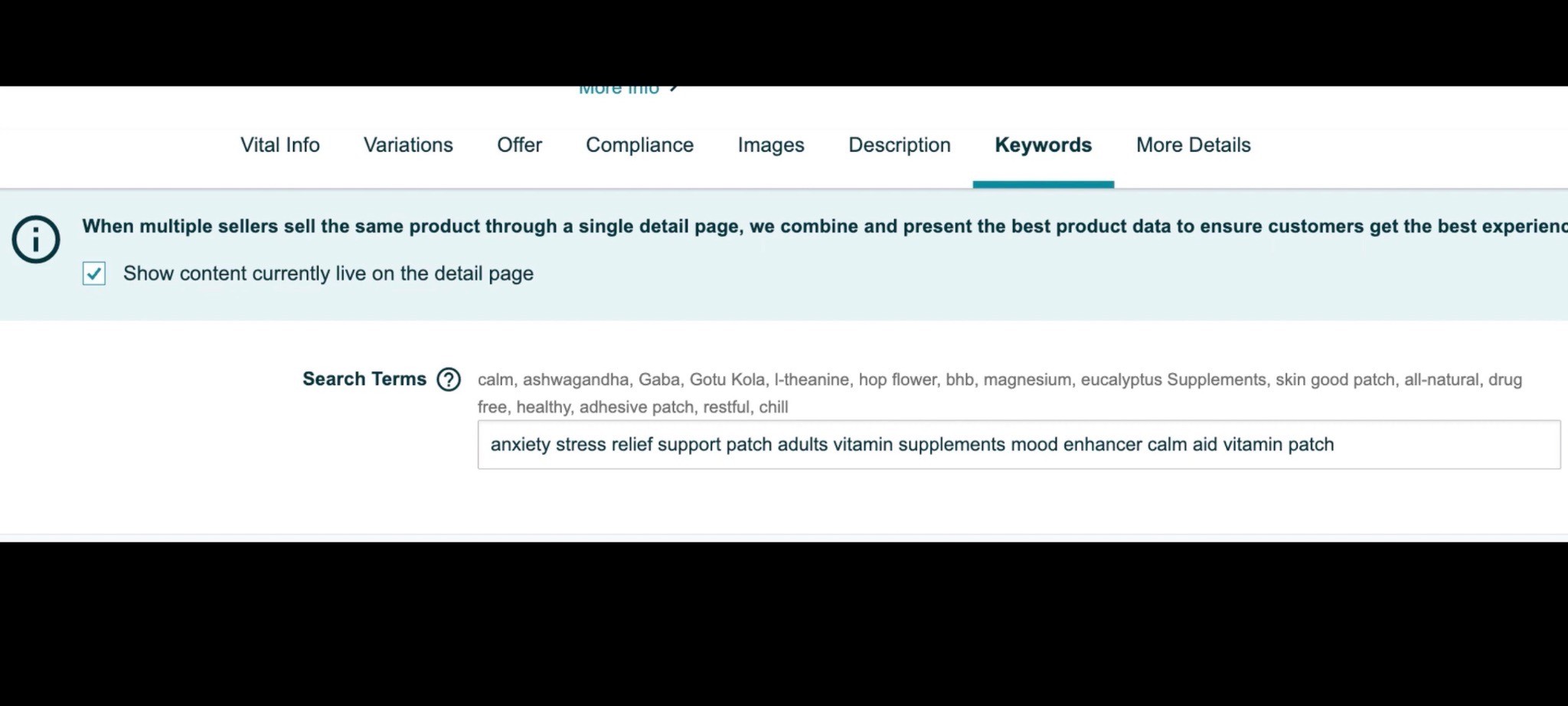
This is about getting your product found.
Amazon SEO includes keyword research, title optimization, backend search terms, indexing, and ranking tracking.
This matters because if Amazon does not understand what your product is relevant for, shoppers may never find you.
2. Amazon Conversion Optimization
This is about getting shoppers to buy.
Conversion optimization includes your main image, gallery images, videos, reviews, pricing, coupons, A+ Content, comparison charts, social proof, branding, and messaging.
SEO gets you found.
Conversion gets you paid.
You need both.
This guide is mainly focused on the conversion side because that is where most brands leave the most money on the table.
If you want to go deeper on the conversion side specifically, read the Amazon Conversion Rate Optimization Guide next. This listing optimization guide covers the whole page, but CRO is where you really start finding the leaks that stop shoppers from buying.
Why Conversion Rate Matters So Much
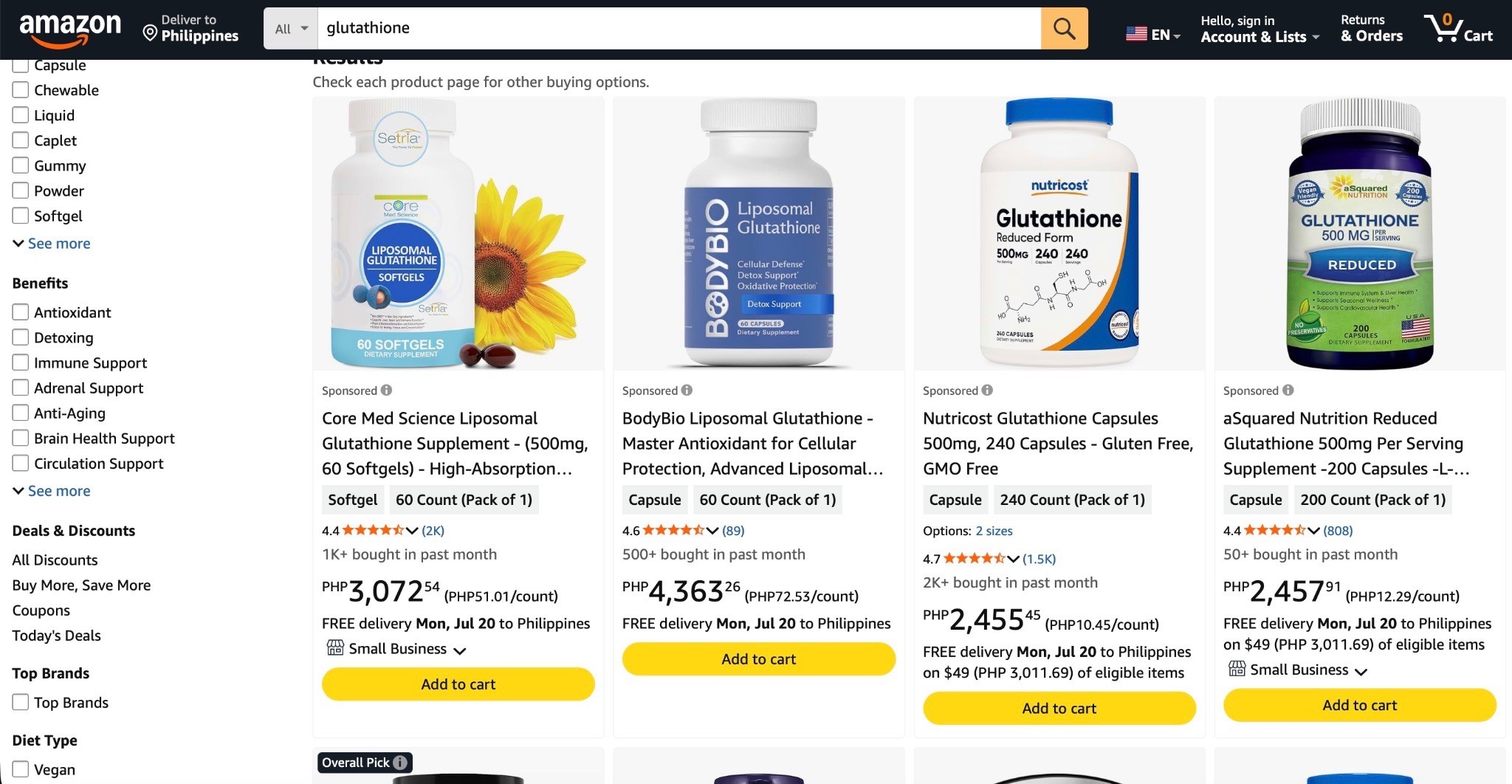
Your Amazon listing is at the bottom of the funnel.
That means shoppers are not casually browsing like they are on Instagram or TikTok.
They are comparing.
They are deciding.
They are looking at you, then looking at the other guys, then deciding who deserves the order.
So your listing has to answer one question fast:
“Why should I buy this one?”
If your page does not answer that clearly, you lose.
And when your conversion rate is weak, everything else gets harder:
PPC becomes less profitable
Ranking becomes harder
Sales velocity slows down
Launches become more expensive
Competitors steal the sale
You pay more to get the same results
That is why listing optimization is one of the best ROI investments you can make.
It is not a one-time pretty design project.
It is the sales page your product may use for years.
The Three Pillars of Creative Conversion
I break Amazon creative conversion into three big pillars:
Assets
Messaging
Design
If one of these is weak, the page usually suffers.
Pillar 1: Assets
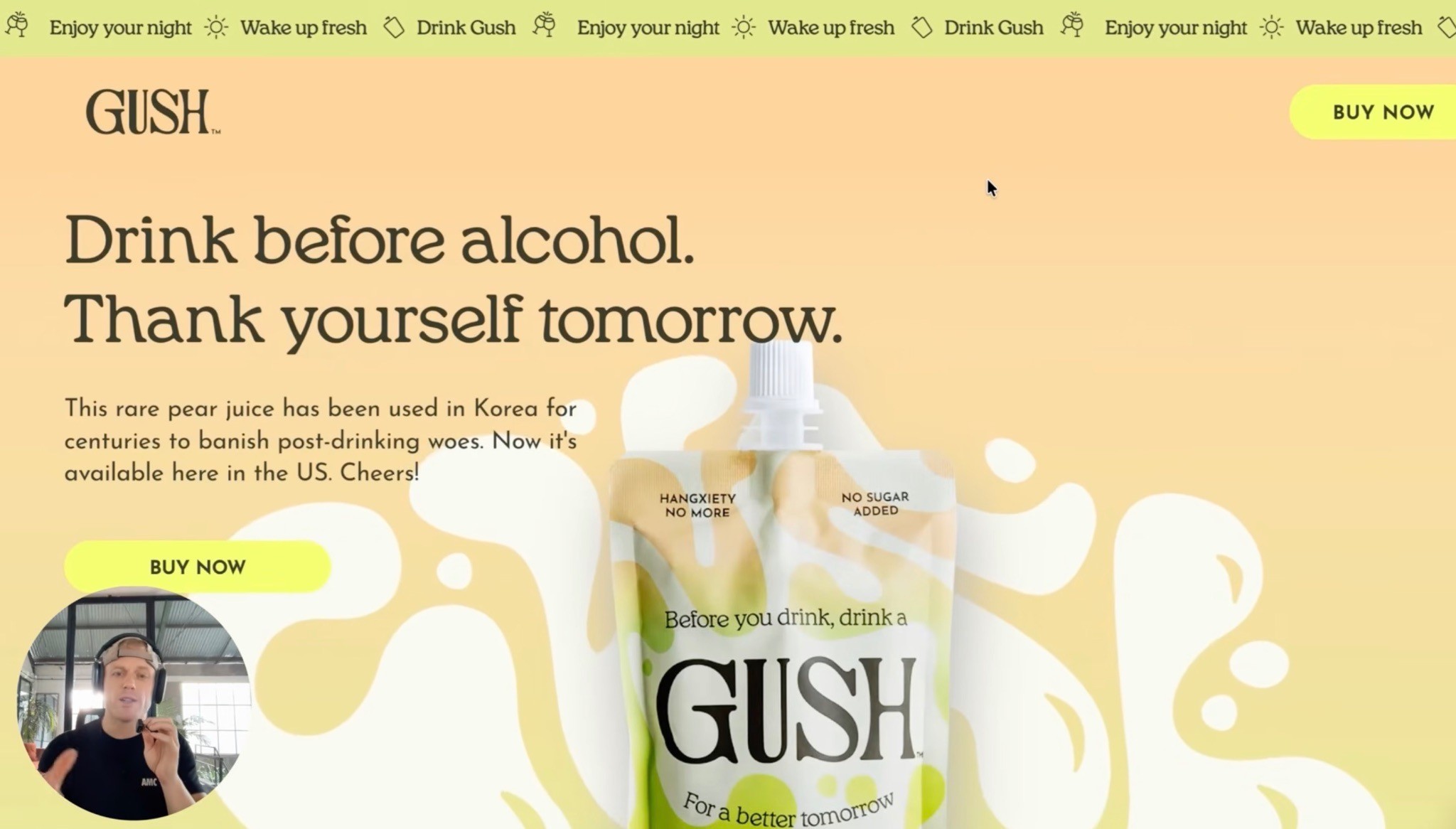
Your assets are the raw materials of the listing.
This includes branding, photography, videos, UGC, product renders, lifestyle images, packaging, customer proof, and review content.
If your assets are weak, your designer can only do so much.
You cannot build a million-dollar Amazon page with five blurry product photos and no clear brand direction.
Pillar 2: Messaging
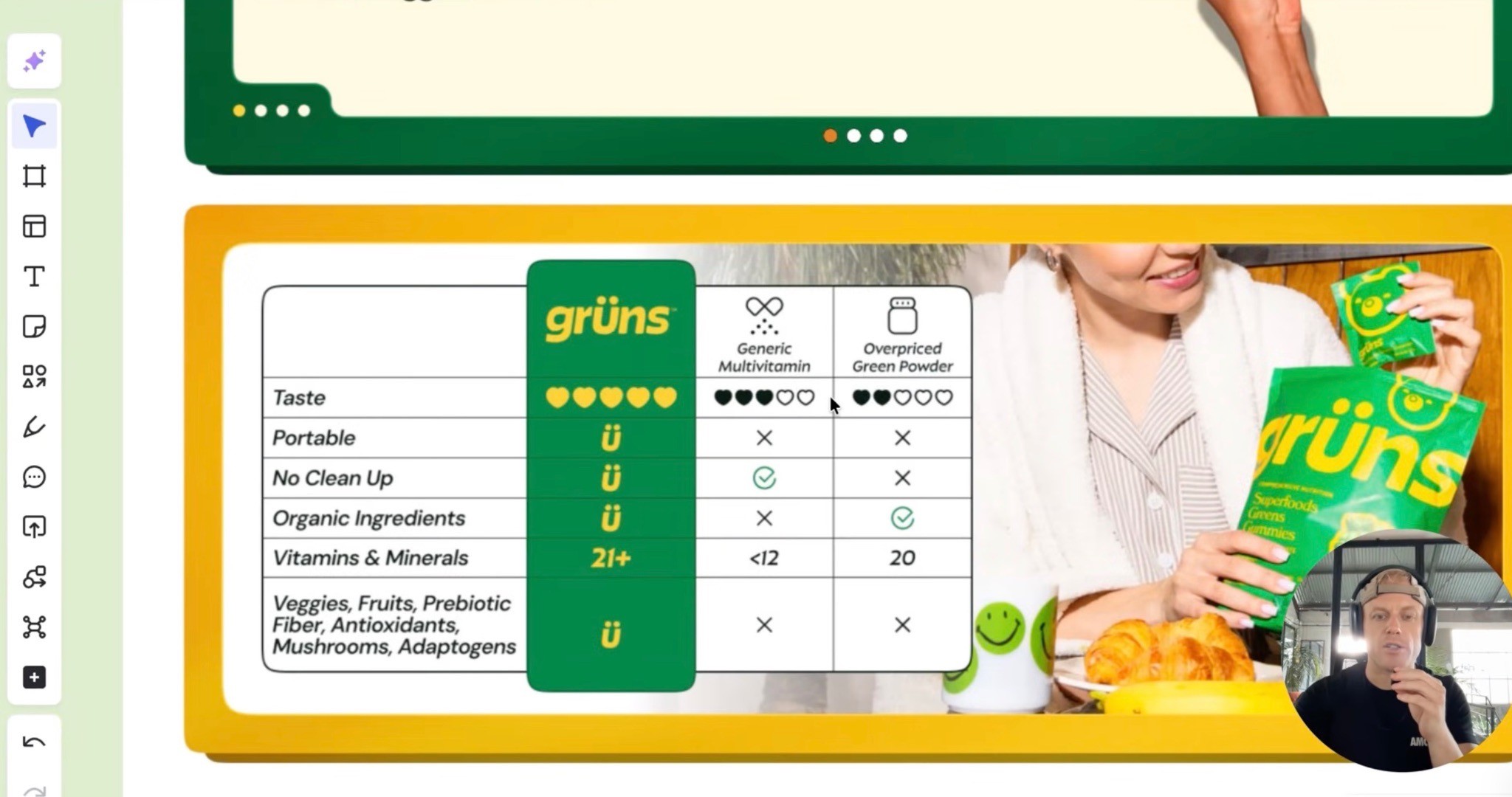
Messaging is what your page actually says.
This includes the USP, headlines, bullets, comparison chart copy, A+ copy, video scripts, image callouts, objection handling, and product explanation.
Most brands do not have a design problem first.
They have a clarity problem.
They do not know how to explain why their product is better.
Pillar 3: Design

Design is how everything gets presented.
This includes layout, visual hierarchy, spacing, readability, mobile formatting, image flow, infographics, premium feel, and skimmability.
The design should make the message easier to understand.
Not harder.
That is the difference between pretty design and conversion design.
The Six Pillars of a High-Converting Amazon Page
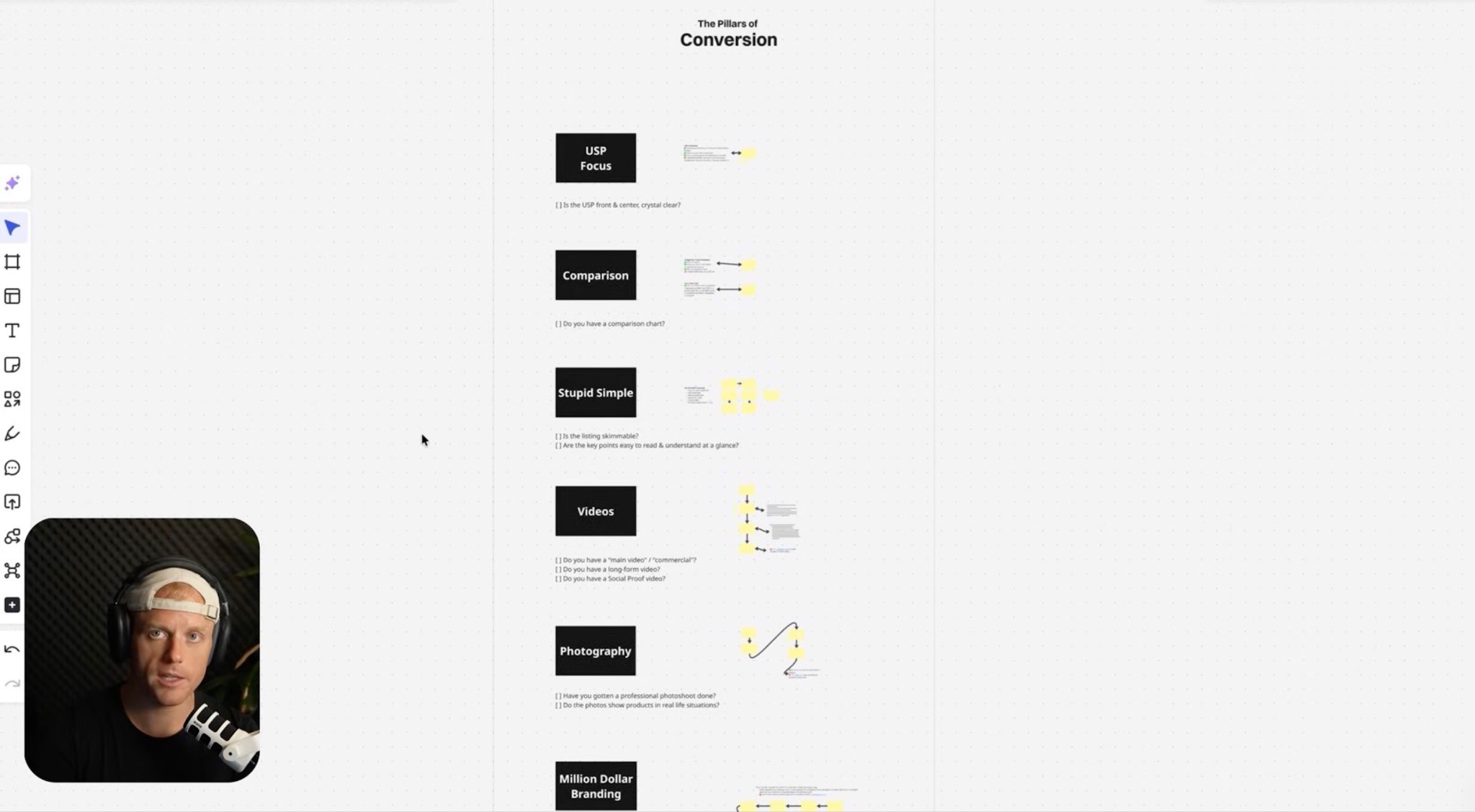
Here’s the simple framework I like.
1. USP-Focused
Can shoppers understand why you are different fast?
Your USP should be obvious in the title, images, bullets, videos, and A+ Content.
Do not make shoppers hunt for it.
2. Comparison-Focused
Amazon is a comparison platform.
Shoppers are checking you against the other products on page one.
So help them compare.
Use “us vs. them” charts, competitor comparisons, feature breakdowns, and direct positioning that makes the choice easier.
3. Stupid Simple
Your listing should be easy to skim.
Use big headlines, short copy, one idea per image, clear visuals, simple bullets, and less clutter.
A shopper should understand the product and USP in a few seconds.
4. Video-Driven
Video explains the product faster than text.
You should have a main product video, a long-form product explanation, and UGC or customer testimonial videos.
If you do not have videos, you are not fully playing the Amazon conversion game.
5. Strong Photography
Your product needs to look real, premium, and trustworthy.
Use professional photos, real-life use cases, close-ups, product-in-hand shots, lifestyle photos, and premium-looking packaging.
AI can help later, but serious brands should still invest in real photography.
6. Million-Dollar Branding
If you want to be a serious brand, you have to look like one.
If your branding looks cheap, outdated, or generic, shoppers feel that instantly.
Good branding can make your product feel more trustworthy before the shopper reads a single word.
Start With the Product’s USP
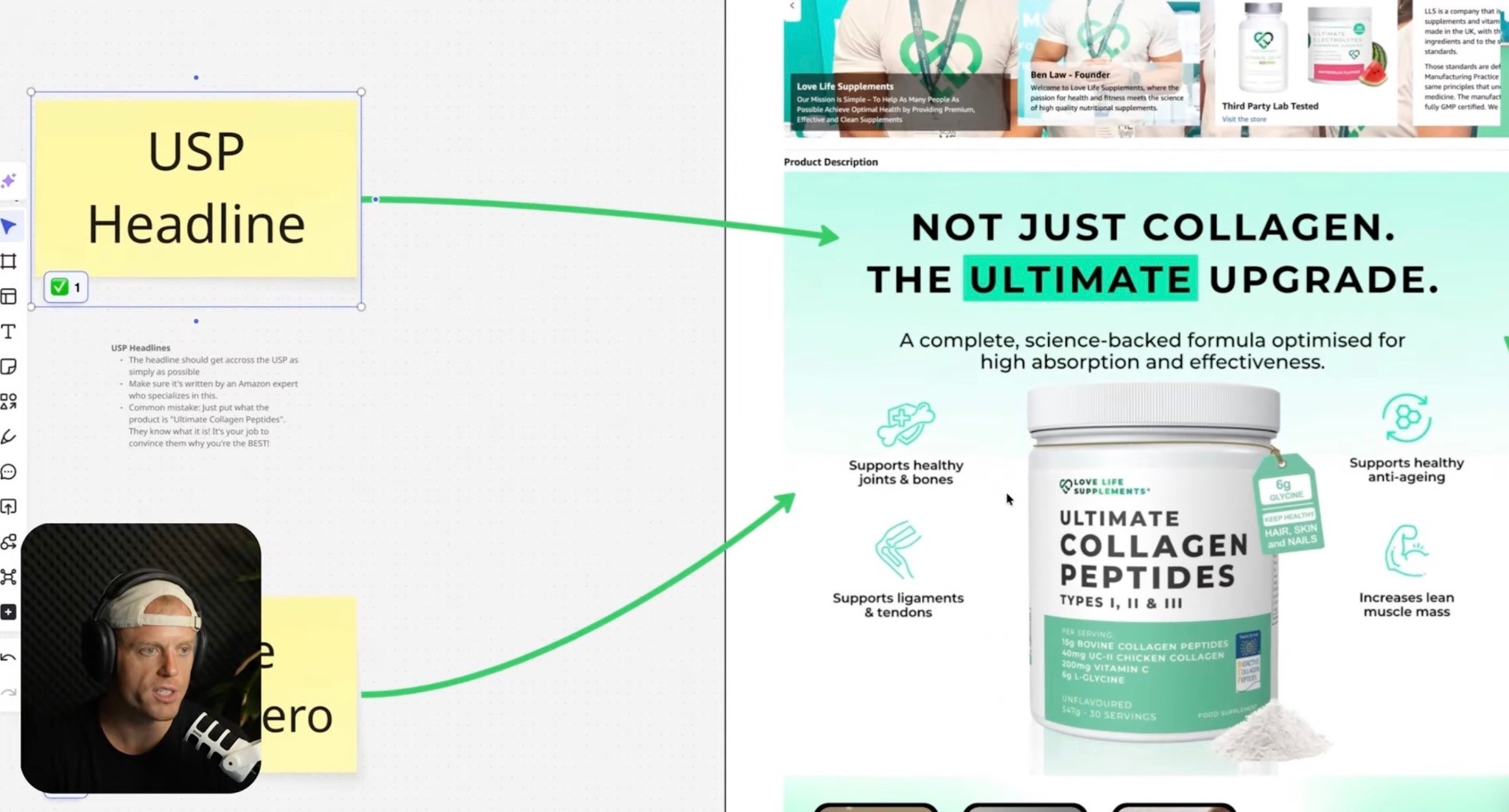
Before touching the title, images, bullets, or A+ Content, figure out the USP.
Your USP is the unique sales pitch.
It answers:
Why is this product different?
Why is it better?
Why should someone choose this over the top competitors?
What does this product have that others do not?
What pain point does it solve better?
What proof do we have?
This is where a lot of listings fall apart.
They talk about the category instead of the product.
For example, if someone searches “greens gummies,” you do not need to spend the whole page explaining why greens are good.
They already know that.
They searched for greens gummies.
Your job is to explain why your greens gummies are better than the other greens gummies they are comparing you against.
That is the Amazon mindset.
It is bottom of funnel.
The shopper is ready to buy.
They just need help choosing.
Amazon Keyword Optimization Still Matters
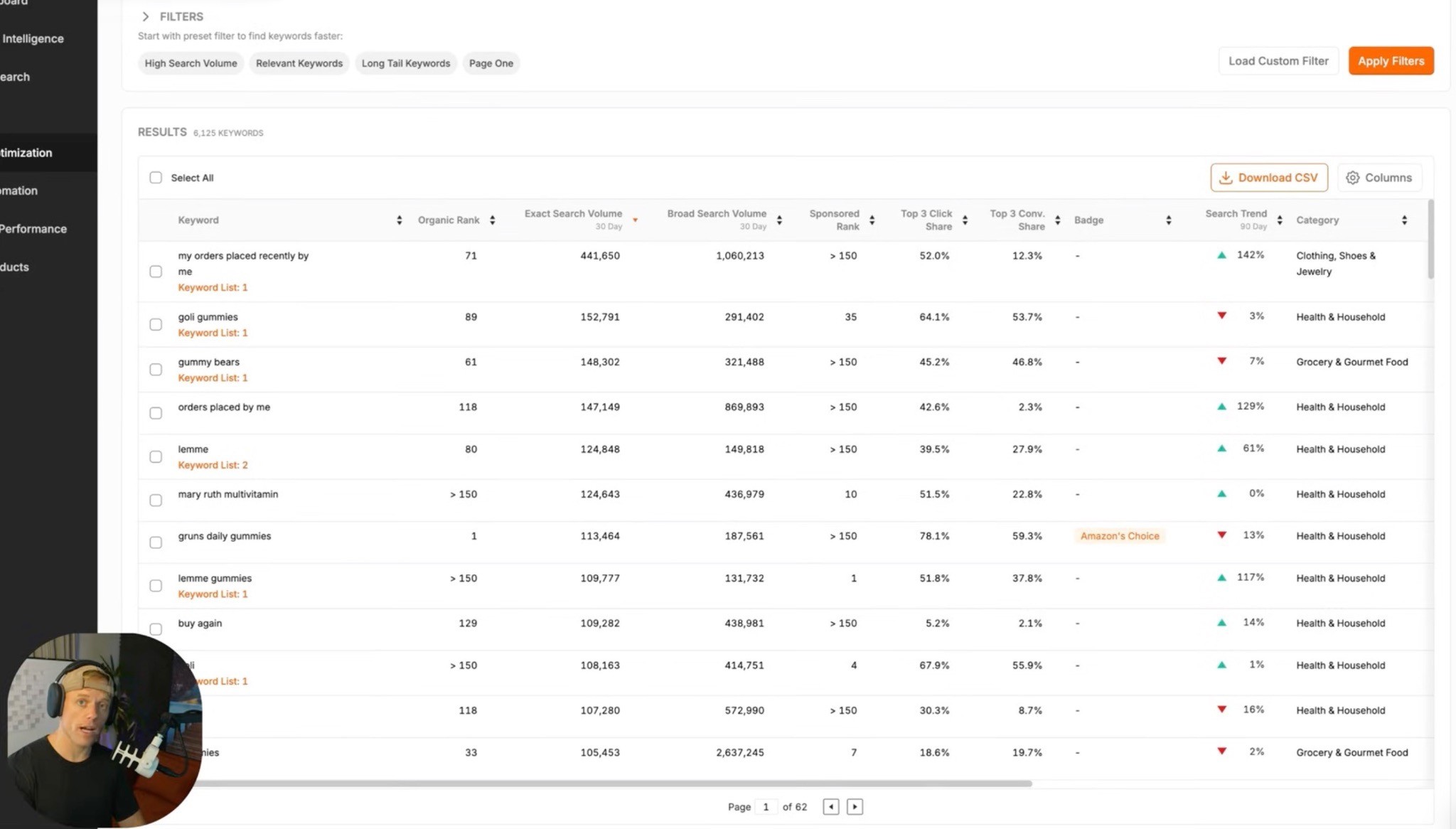
Even though this guide is mostly about conversion, SEO still matters.
Your listing needs to be optimized for the keywords shoppers actually use on Amazon.
That means you should:
Build a keyword list
Prioritize your highest-value terms
Use the main keywords in the title
Use important supporting terms naturally
Add backend search terms
Check indexing after launch
Track ranking movement over time
Do not guess keywords.
Use Amazon-specific keyword data.
Google keyword data and Amazon keyword data are not the same thing.
Google searches are often informational.
Amazon searches are transactional.
People on Amazon are usually closer to buying.
So optimize for how Amazon shoppers actually search.
If you want the full ranking side of this, watch my Amazon SEO Masterclass 2026: How to Rank Step by Step guide. Listing optimization helps the page convert, but SEO is what helps Amazon understand where the product should show up.
Amazon Title Optimization
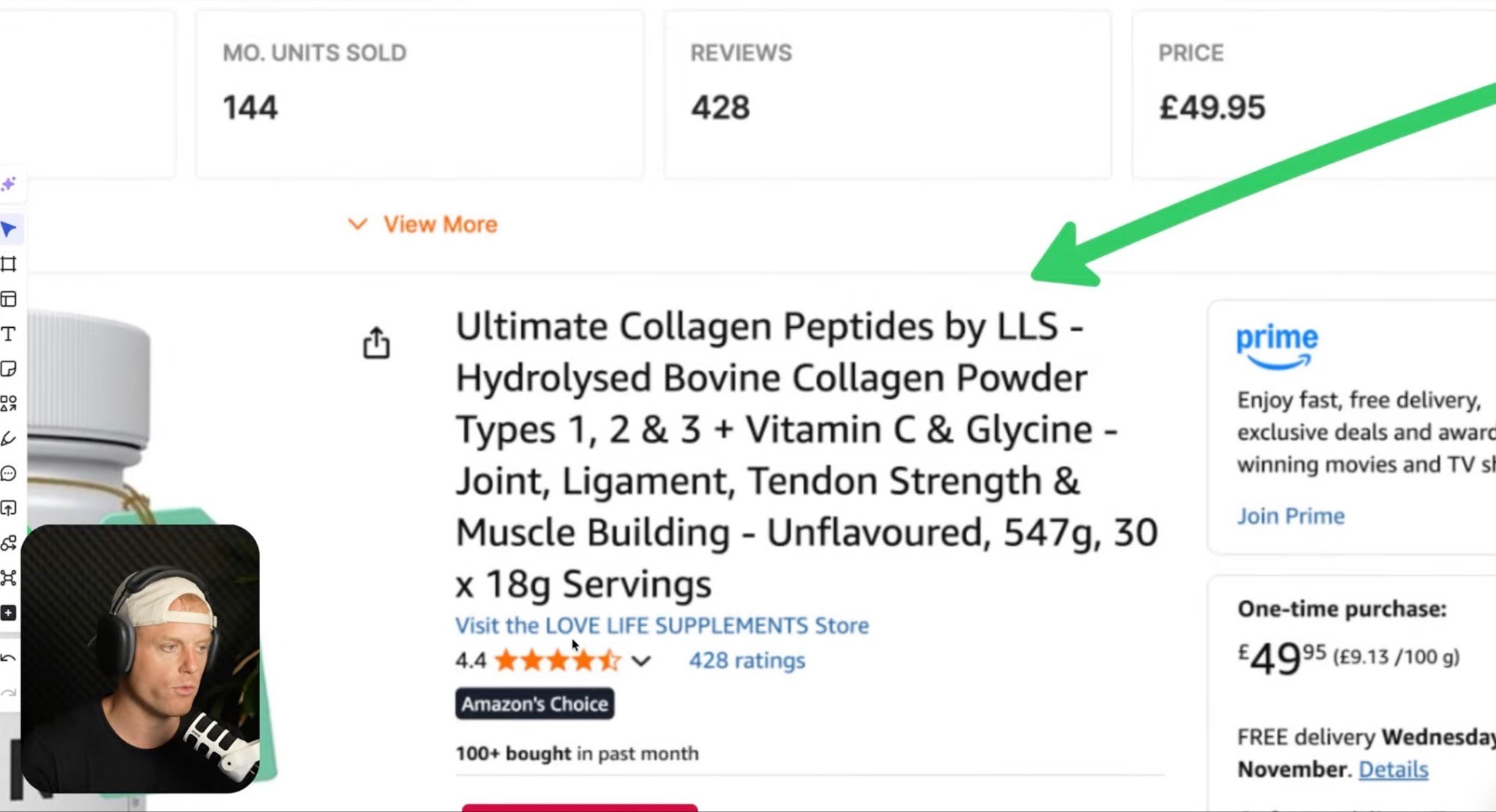
Your title has two jobs:
Help Amazon understand what the product is
Help shoppers understand what the product is
The best Amazon titles are:
Easy to read
USP-focused
SEO-optimized
In that order.
Yes, keywords matter.
But do not keyword stuff the title until it looks like a spammy mess.
A good title should clearly explain what the product is, the main keyword, the key feature or USP, quantity or size, and the most important variant or use case.
Remember, on mobile, shoppers may only see the first part of the title.
So lead with what matters.
Main Image Optimization
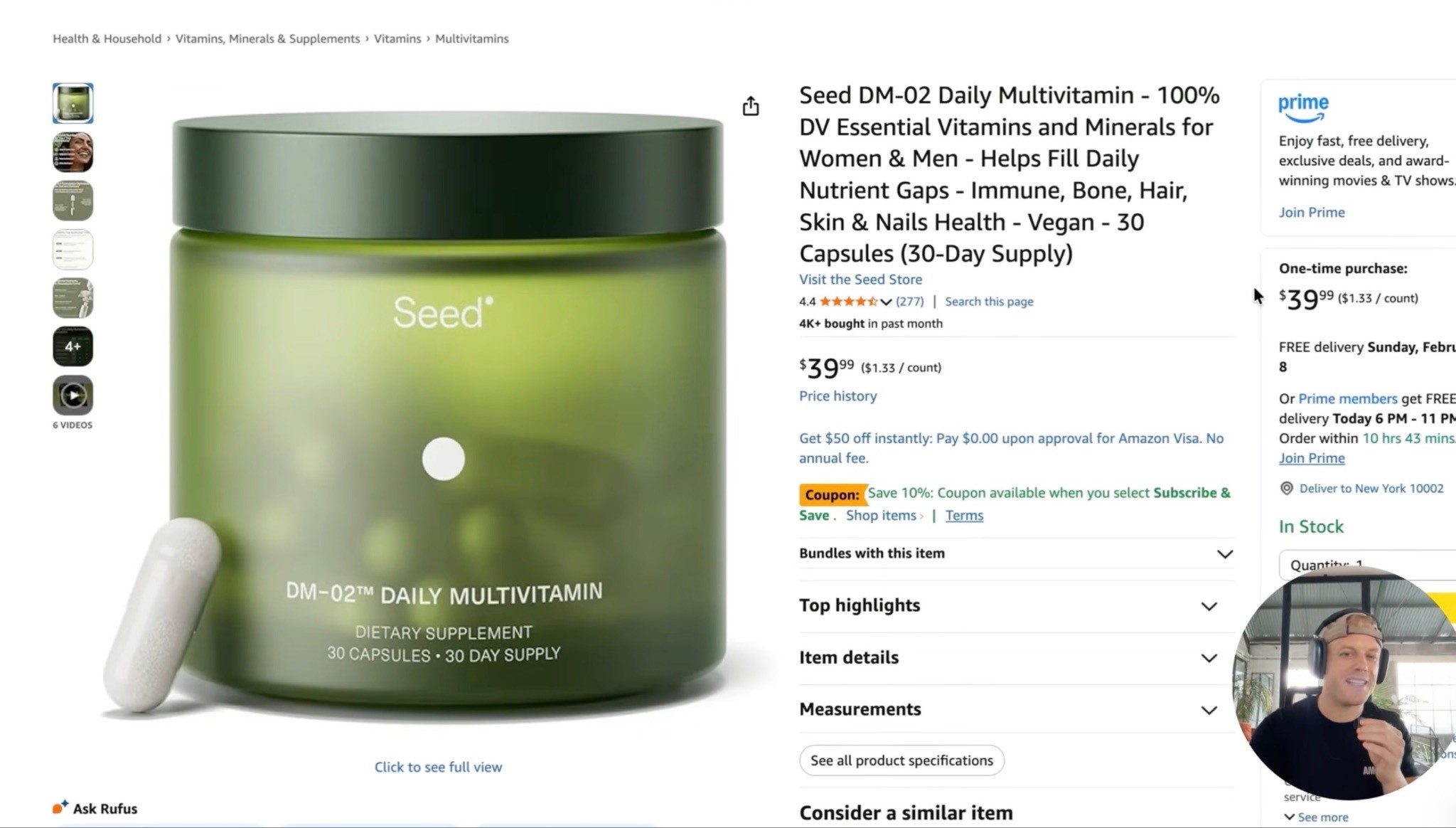
Your main image is one of the biggest click-through rate levers on Amazon.
It is what shoppers see in search before they ever reach your listing.
So do not treat it like a random product photo.
Your main image should:
Clearly show what the product is
Stand out against competitors
Make the product look premium
Highlight key information where possible
Work well on mobile
Be tested against other concepts

The best move is to create three to four strong main image concepts and test them through Manage Your Experiments.
Do not just test tiny changes.
Test meaningfully different concepts:
Product only
Product plus packaging
Product plus capsules or gummies
Bigger product crop
More obvious serving count
Bundle-focused version
Ingredient-focused version
Value-focused version
Run A vs B.
Take the winner.
Test it against C.
Take the winner.
Test it against D.
Then, once you find the winning concept, create variations of that winner and test again.
That is how you maximize click-through rate instead of guessing.
I broke this process down in more detail in my Amazon Main Image Optimization Guide, including how to come up with multiple image concepts, test them, and improve CTR before shoppers even land on the listing.
Gallery Images: Take Shoppers Through a Journey
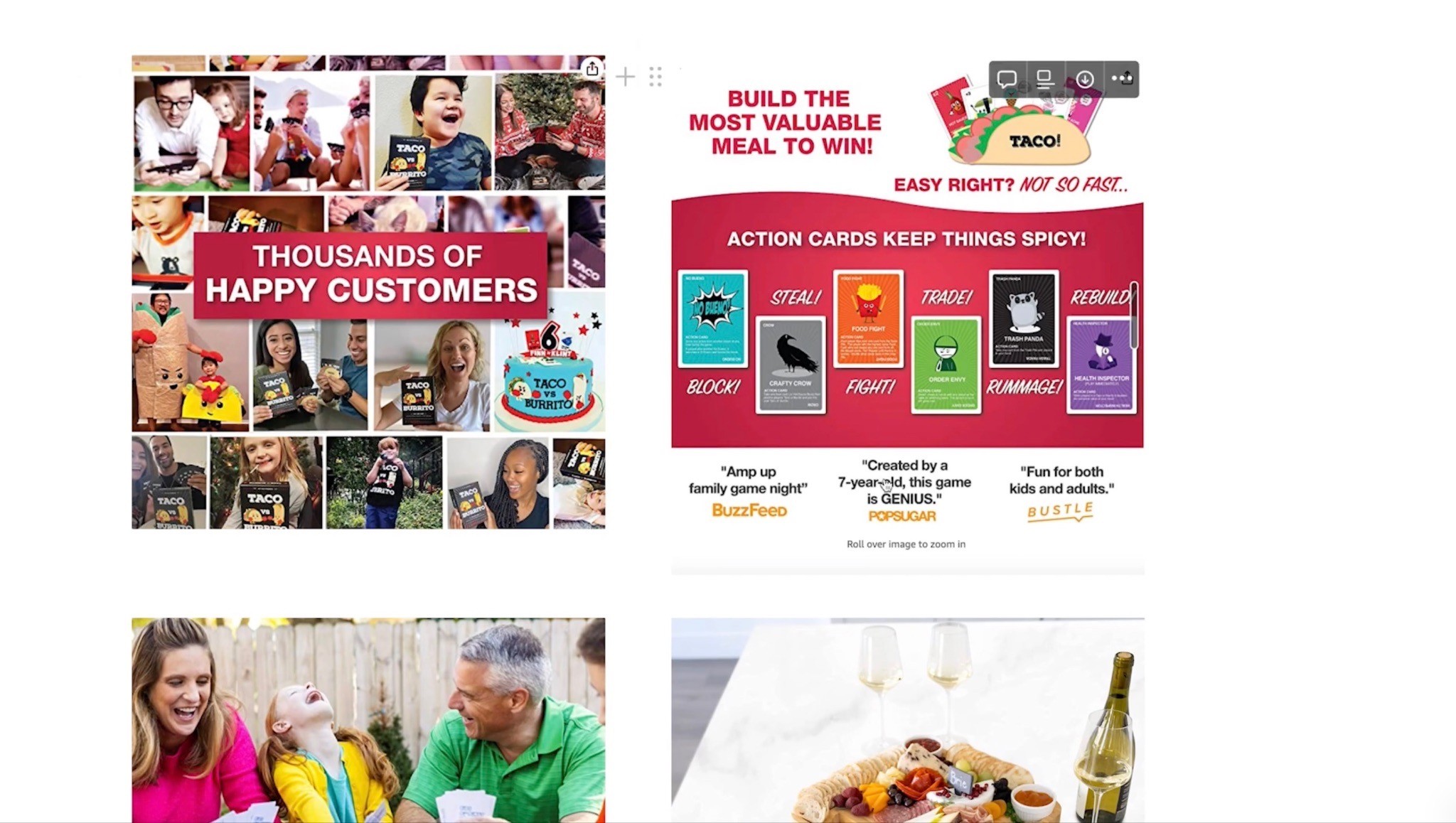
Your gallery images are where a lot of conversion happens.
Most shoppers look at the images before they read the bullets.
So the image stack needs to explain the product visually.
Use all available image slots.
Each image should have one clear job.
Do not cram 12 ideas into one infographic.
A strong image stack might look like this:
Main image
Biggest USP image
Product benefits image
Us vs. them comparison chart
How it works / ingredients / features
Lifestyle or product-in-use image
UGC or social proof image
FAQ / objection handling image
What’s included / sizing / specs
The rule is simple:
One image, one point.
Big words.
Not too much text.
Easy to skim.
Use Comparison Charts
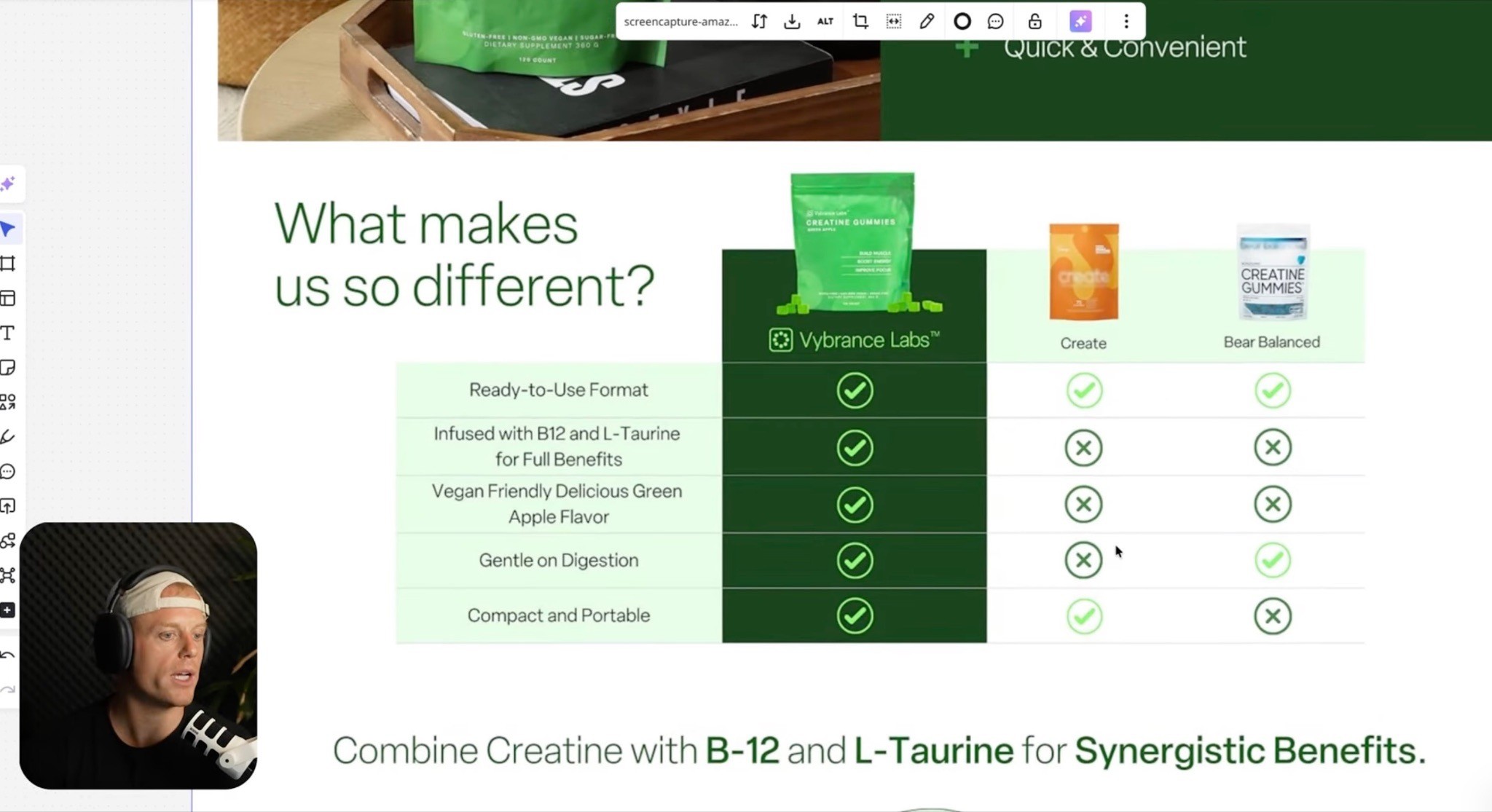
This is one of the most underused Amazon conversion tools.
Amazon shoppers are comparing anyway.
So help them compare.
A comparison chart can show why your product is better than generic alternatives, top competitors, lower-quality products, older versions, or other products in your lineup.
The mistake is comparing against things shoppers are not actually considering.
For example, if someone searches “greens gummies,” they may already want gummies.
So comparing gummies to powder may not be the best use of space.
A stronger comparison is often:
Your greens gummies vs. the top greens gummy competitors.
That is more relevant to the shopper’s actual decision.
A good comparison chart should be easy to read, direct, USP-focused, honest, simple, visually clear, and based on features shoppers care about.
You can use comparison charts in gallery images, A+ Content, Premium A+ Content, Sponsored Brand video concepts, and product lineup sections.
This is not just a design element.
It is a sales argument.
Bullet Point Optimization
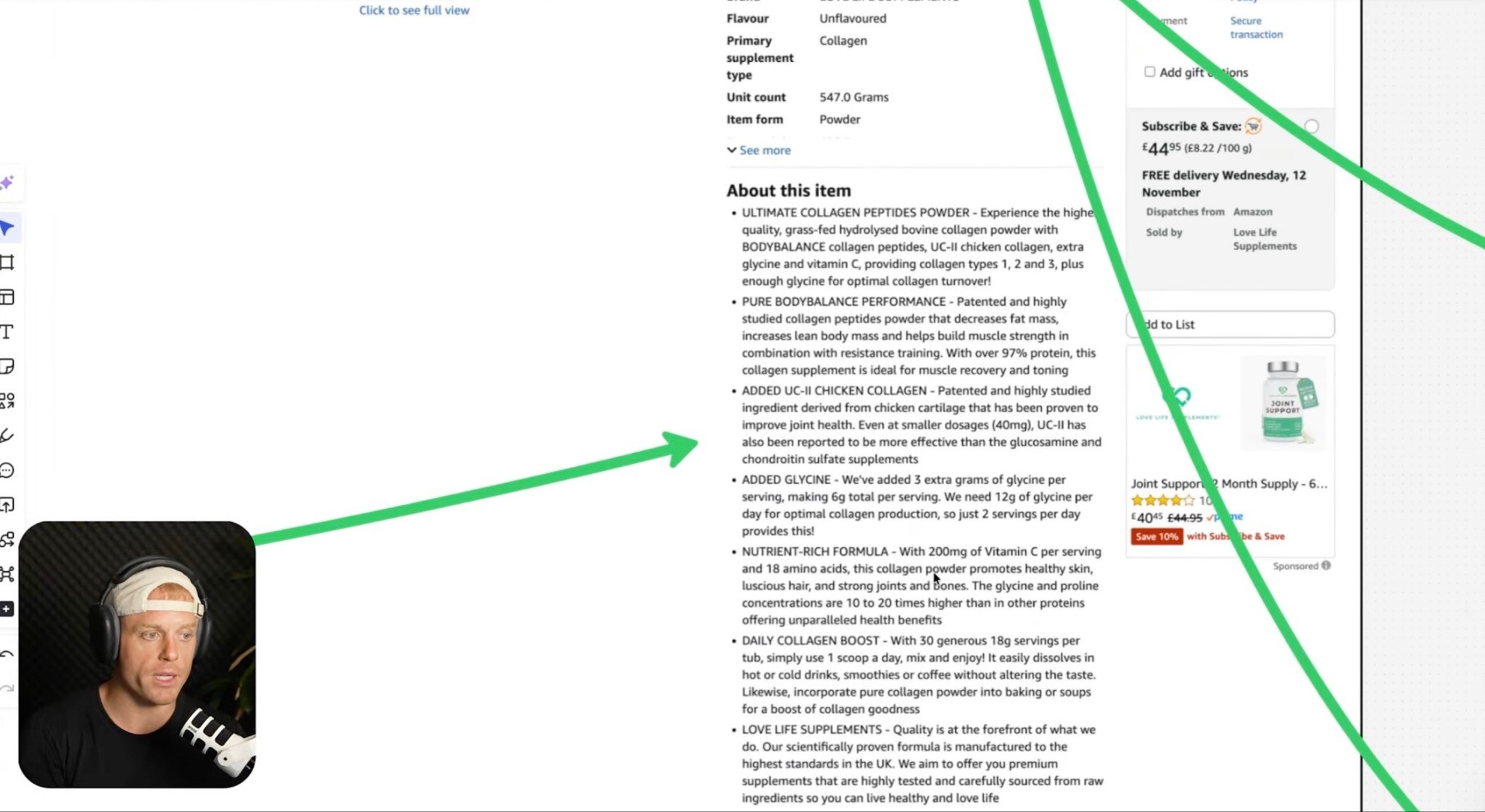
Most sellers overthink bullets.
They write giant paragraphs because they think shoppers are reading every word.
Most shoppers are not.
Your bullets should be:
Short
Clear
Benefit-led
USP-focused
Easy to skim
Not stuffed with keywords
I like bullets that are simple and direct.
The shopper should quickly understand what the product does, who it is for, what makes it different, how to use it, what is included, and why it is worth buying.
Keywords can be included naturally, but do not sacrifice clarity.
The title and backend search terms are more important for core indexing.
Bullets should help sell.
Product Videos
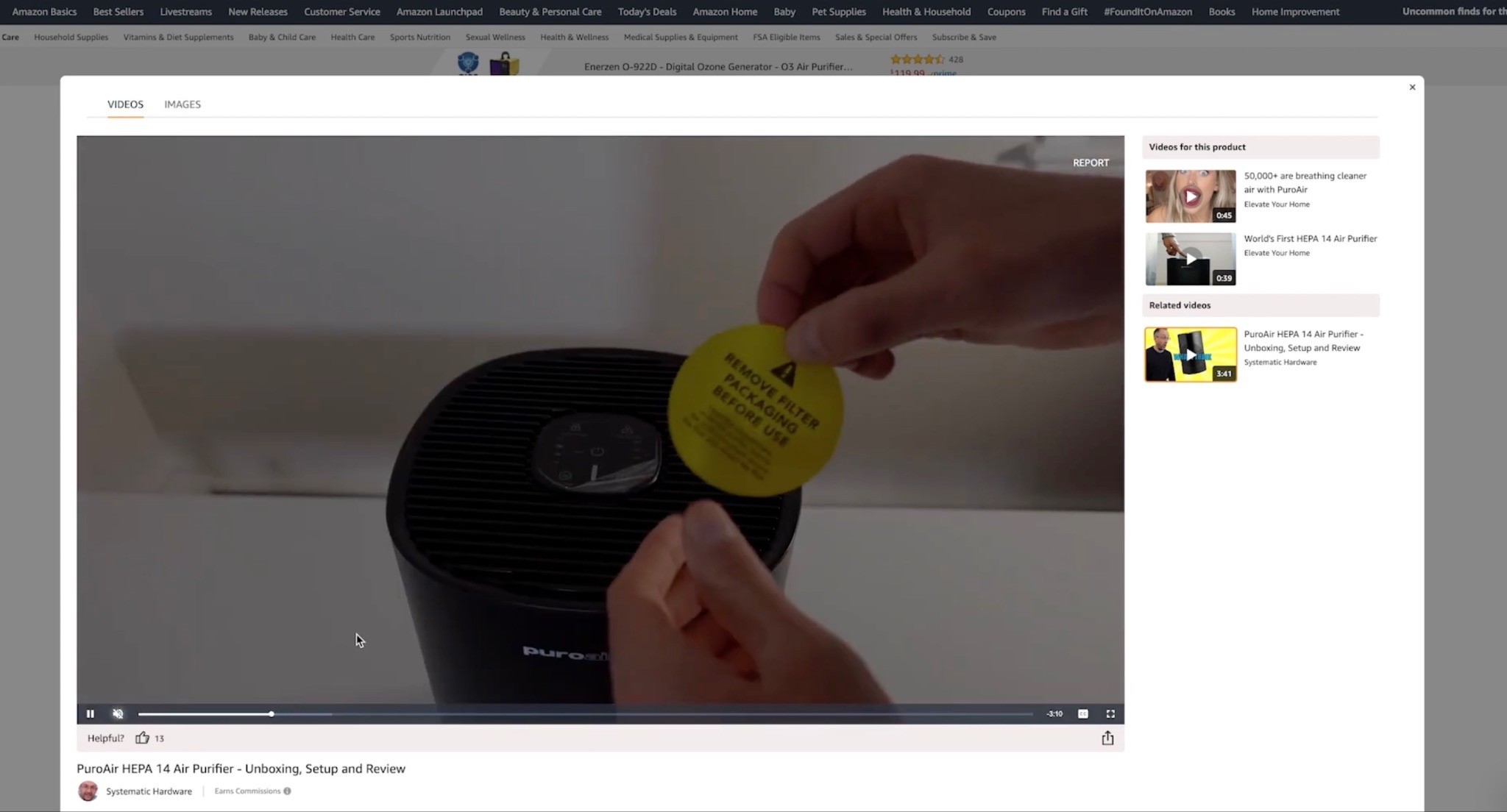
If you do not have videos on your Amazon listing, fix that.
At minimum, you want three types of videos.
1. Main Product Commercial
This is your 30 to 60 second sales video.
It should explain what the product is, who it is for, the main USP, key benefits, why it is different, and how it fits into the customer’s life.
2. Long-Form Product Explanation
This is one of the easiest high-ROI things a brand owner can do.
Take out your phone.
Talk about the product for 5 to 15 minutes.
Explain it like you are talking to a friend.
Cover why you created it, what makes it different, how it works, who it is for, how to use it, and what customers should know.
This does not need to be perfect.
It needs to be real and helpful.
A lot of founders explain the product better on a sales call than their listing does.
Put that explanation on the listing.
3. UGC / Customer Proof Video
Take the best customer videos, unboxings, testimonials, reactions, and use-case clips, then edit them into a highlight reel.
This works because shoppers trust other shoppers.
A polished commercial is great.
But real people using and loving the product hits differently.
A+ Content and Premium A+ Content

A+ Content is where you solidify the sale.
This is where you can go deeper into:
USP
Benefits
Ingredients
Features
Use cases
Brand story
Comparison charts
Social proof
FAQs
Reviews
Product lineup
Technical specs
What’s included
The same rule applies:
Big image blocks.
Big headlines.
Not too much text.
One clear idea per module.
A+ Content should not just repeat the bullets in a prettier format.
It should make the product easier to understand and harder to say no to.
If you have access to Premium A+ Content, use it.
Premium A+ lets you use larger modules, videos, carousels, Q&A dropdowns, hotspots, and more interactive layouts.
That can make the listing feel more like a real landing page inside Amazon.
For a deeper breakdown of layouts, modules, video placements, carousels, comparison charts, and conversion tips, read the Amazon Premium A+ Content Guide.
Brand Story
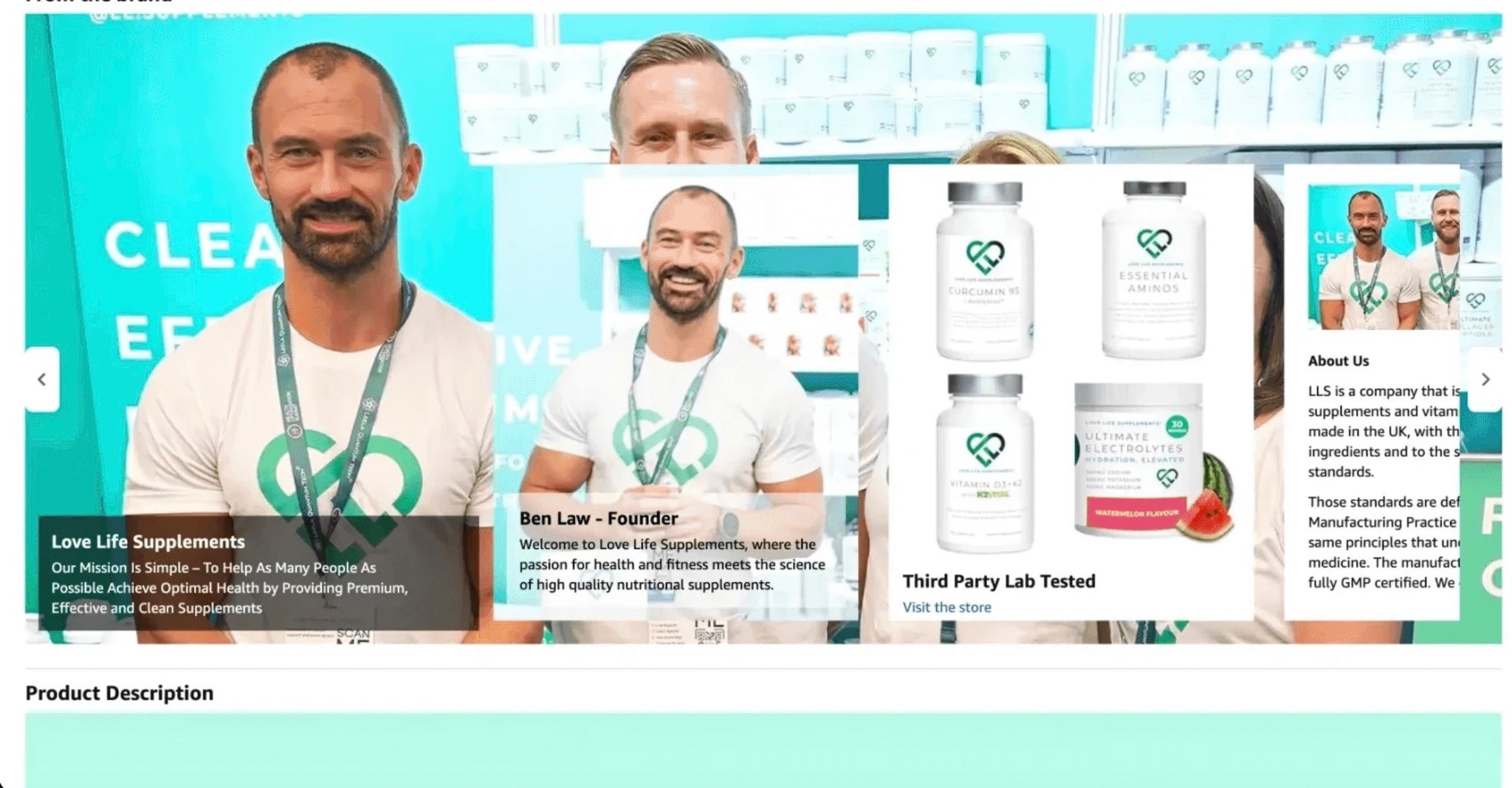
The Brand Story section is often underused.
A lot of brands either skip it or fill it with generic “we care about quality” copy.
Do better.
Brand Story can help shoppers understand who you are, why the brand exists, what problem you solve, what your mission is, what other products you sell, and why the shopper should trust you.
It can also cross-sell other products.
That matters because if this exact product is not the perfect fit, another product in your catalog might be.
Do not waste that real estate.
Reviews and Star Rating
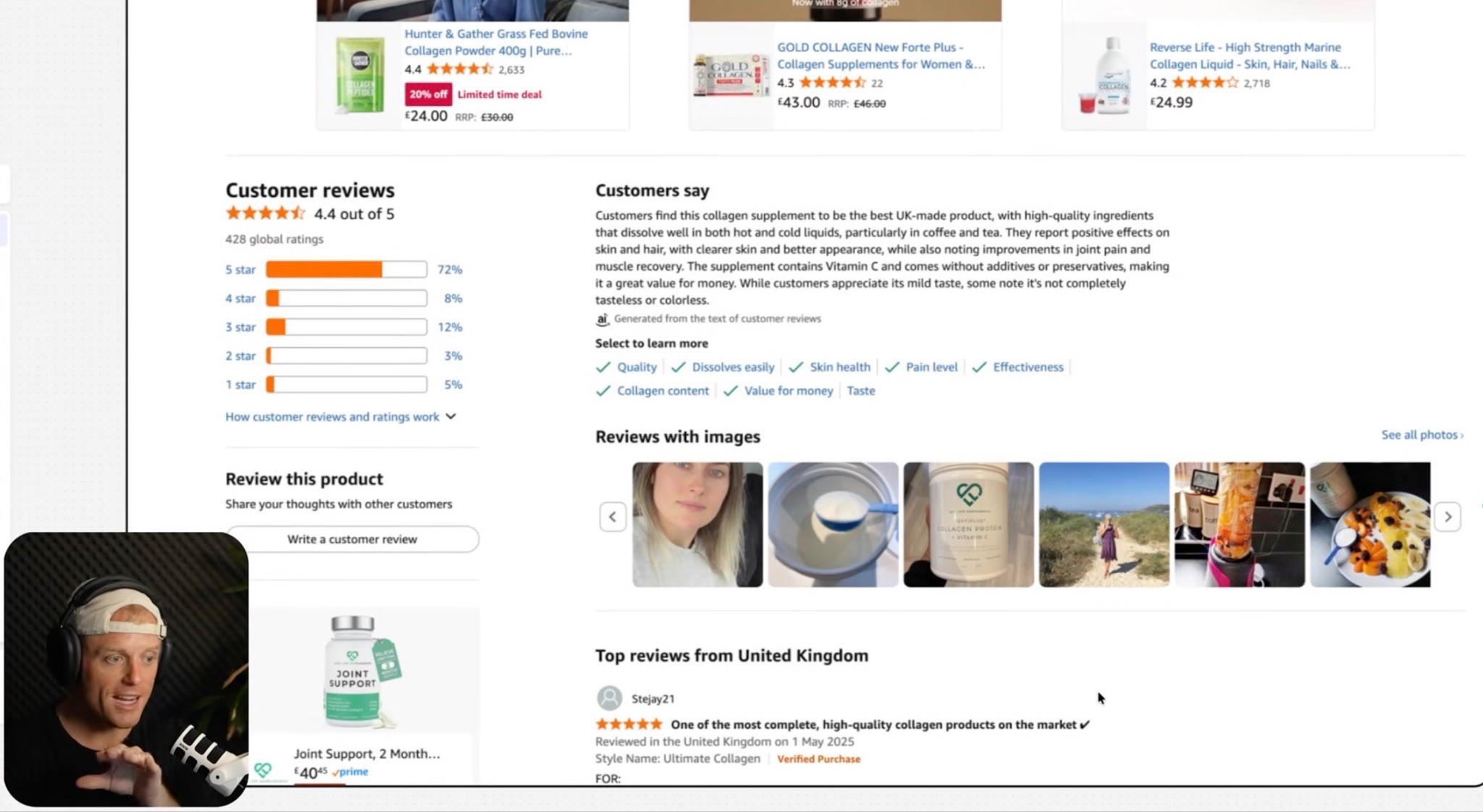
Sometimes the listing creative is not the main problem.
Sometimes the reviews are.
If your star rating is weak, conversion will suffer.
If your product has very few reviews and competitors have thousands, conversion will be harder.
That does not mean you are doomed.
But it does mean the rest of the page has to work harder.
Look at your reviews and ask:
Are customers confused?
Are they disappointed by size?
Are they using the product wrong?
Is the product underdelivering?
Is the packaging causing issues?
Is the listing overpromising?
Are there common objections we need to address?
Sometimes CRO means fixing the product.
Sometimes it means fixing the page.
Often, it is both.
Price, Coupons, and Offers
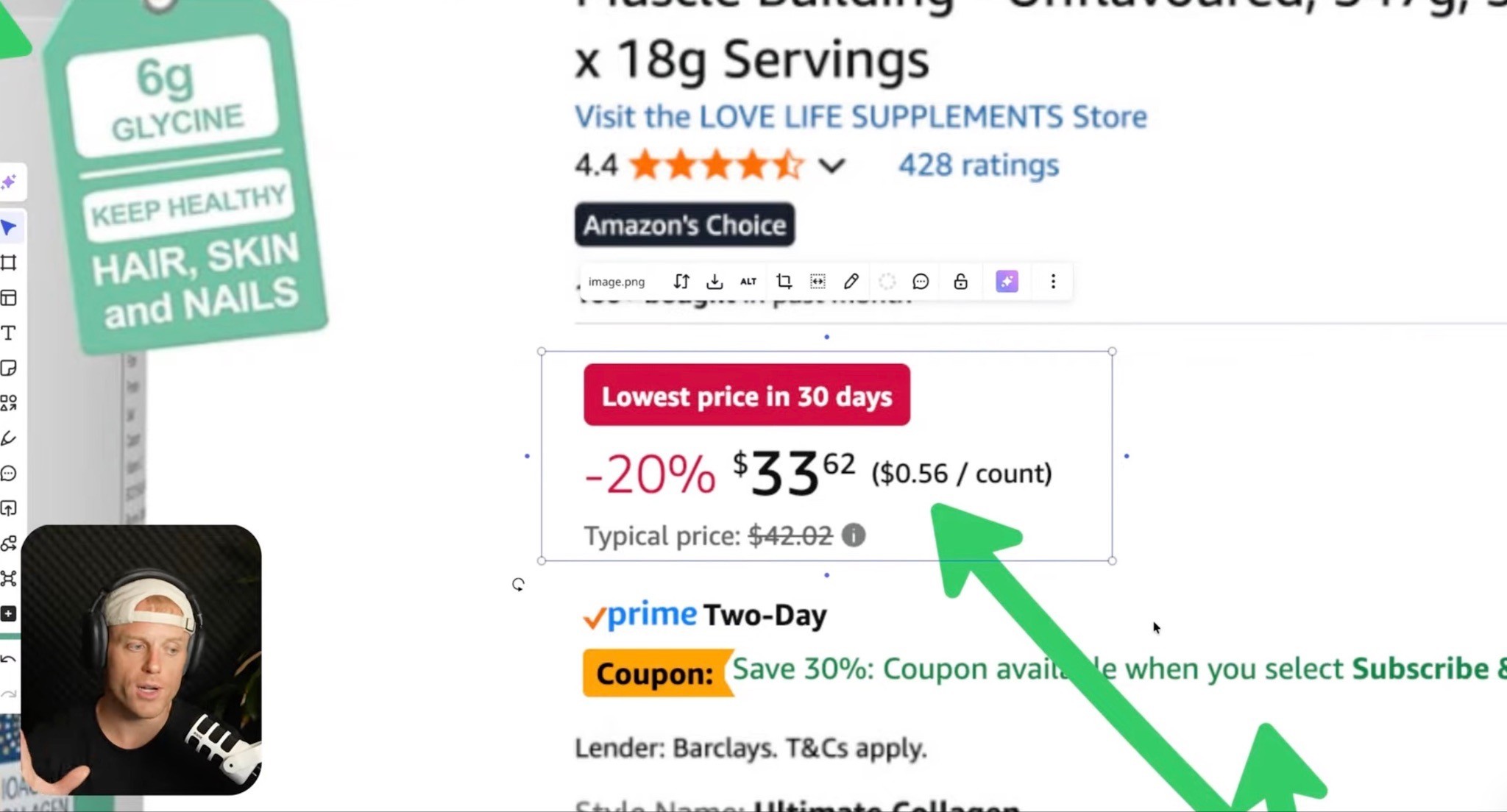
Do not ignore the obvious.
Price affects conversion.
Coupons affect conversion.
Sale badges affect conversion.
Subscribe & Save affects conversion for consumables.
If you are launching, a lower price plus a strong coupon can help increase sales velocity.
If you are an established premium brand, you may not want to race to the bottom.
But the price still has to make sense relative to the offer.
Ask:
Are we priced correctly for our review count?
Are we priced correctly for our category?
Are we clearly showing why we are worth more?
Are competitors using coupons?
Should we test a coupon?
Should we test Subscribe & Save?
Should we test a lower launch price?
Should we use a sale badge strategically?
Your creative can make a higher price feel justified.
But if the price-to-trust ratio is off, conversion suffers.
Subscribe & Save
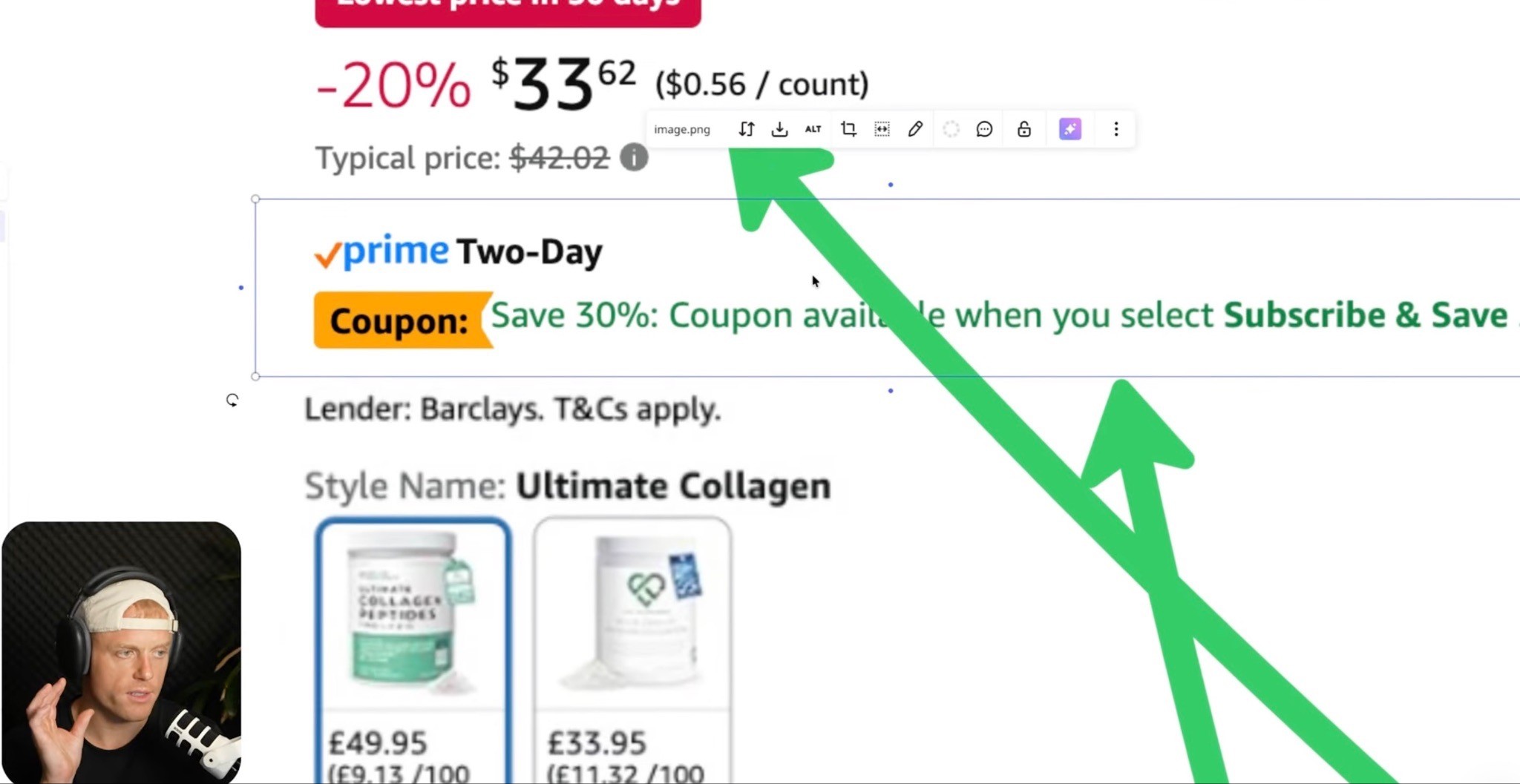
If you sell a consumable product, Subscribe & Save can be huge.
This applies to supplements, pet products, beauty, food and beverage, cleaning products, refillable products, and anything customers reorder.
Subscribe & Save can help increase repeat orders, improve customer lifetime value, and create a better offer on the product page.
For launches or relaunches, some brands test aggressive Subscribe & Save first-order coupons to increase sales velocity.
You do not need to blindly copy competitors, but you should know what they are doing.
If competitors are offering 30%, 40%, or even 50% first Subscribe & Save discounts, and you are offering nothing, that may affect conversion.
Use it strategically.
Shipping Speed and Inventory
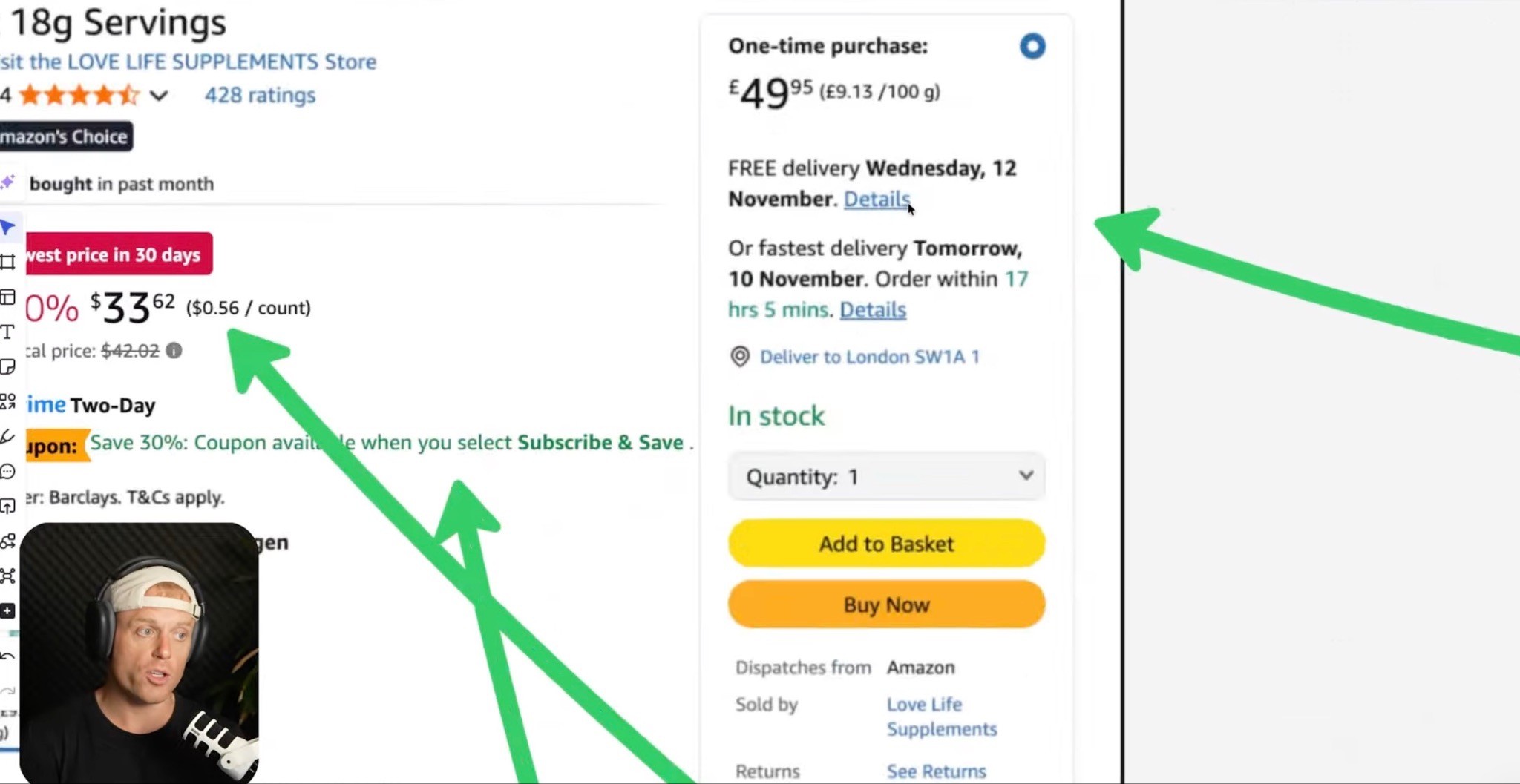
Shipping speed affects conversion.
If shoppers can get a competitor’s product tomorrow and yours next week, that matters.
The easiest way to improve shipping availability is to keep enough FBA inventory in stock so Amazon can distribute inventory across fulfillment centers.
You cannot fully control every warehouse placement, but you can avoid starving the system.
Running out of stock or having limited inventory can hurt sales, ranking, and customer trust.
Conversion optimization is not only images and copy.
It is the full buying experience.
Frequently Bought Together and Virtual Bundles
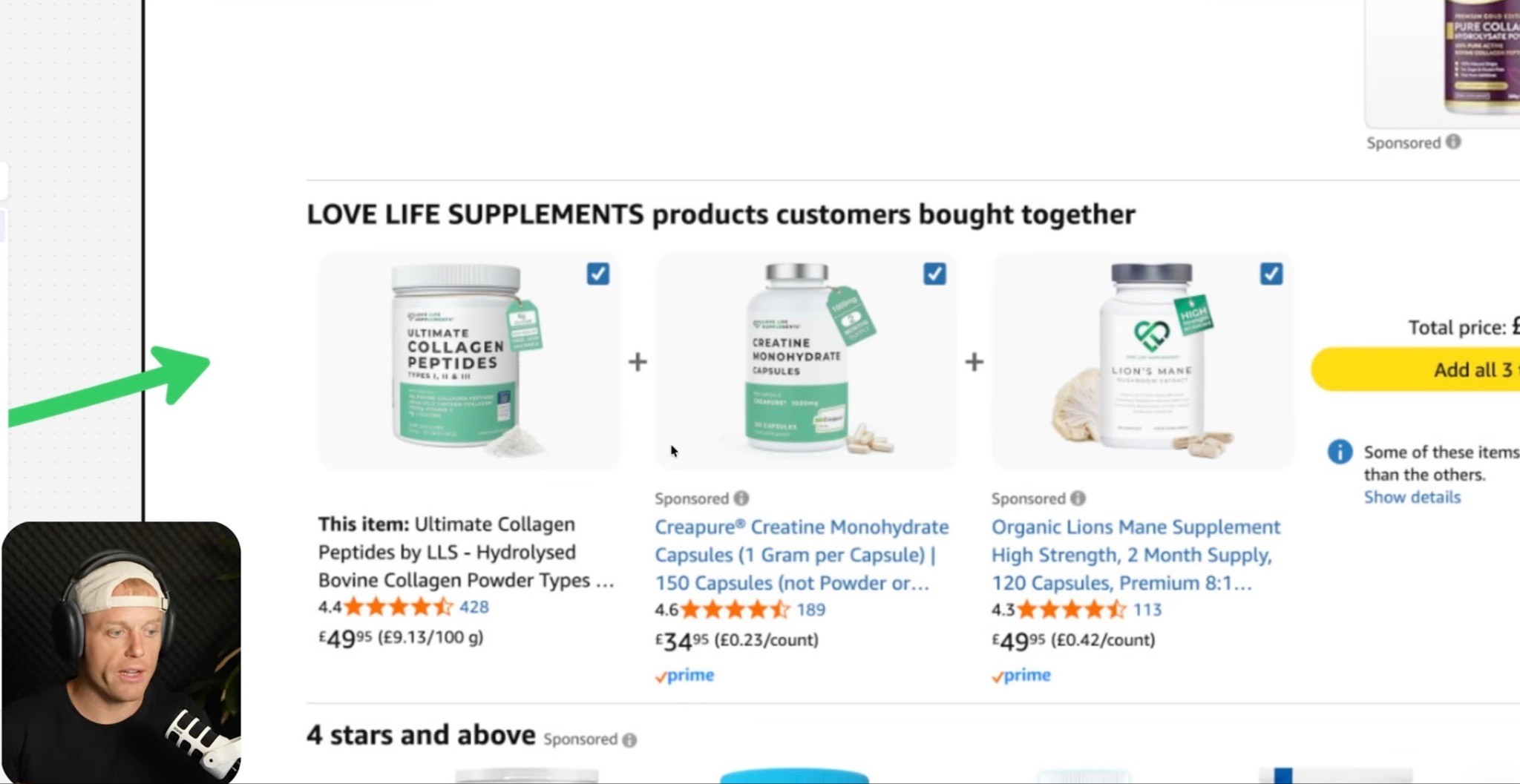
Amazon may automatically show related products in the Frequently Bought Together section.
Ideally, those products are yours.
But you cannot fully control that.
What you can do is create virtual bundles when relevant.
Virtual bundles may not be the biggest sales driver in the world, but they take up real estate on the product page and give shoppers another way to buy more from you.
If you have complementary products, use them.
Also, reinforce cross-selling inside Brand Story, A+ Content, Premium A+ Content, Storefront, and product lineup modules.
If a shopper is already interested, make it easy for them to stay inside your brand.
Backend Keywords and Indexing
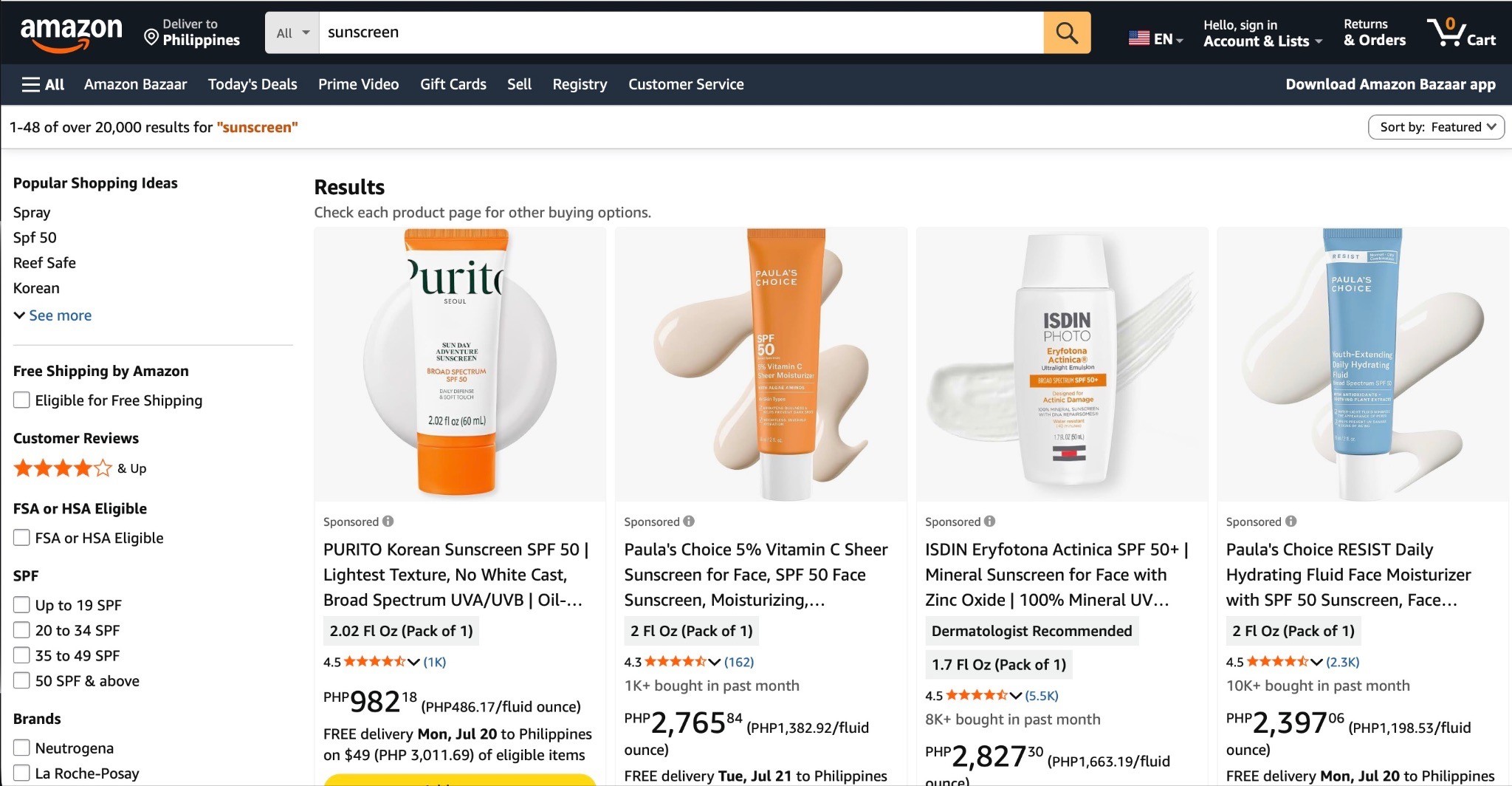
Backend search terms are not visible to shoppers, but they still matter for Amazon SEO.
Use backend keywords for relevant terms you could not naturally include in the visible listing.
Do not waste space repeating the same keywords over and over.
Do not add irrelevant keywords.
After the listing is live, check indexing.
Just because you added keywords does not mean Amazon indexed you for every phrase.
Use an index checker or keyword tracking tool to see whether your product is actually showing up for the terms you care about.
Then adjust.
Listing optimization is not done when you click publish.
You need to validate that it is working.
Mobile Optimization
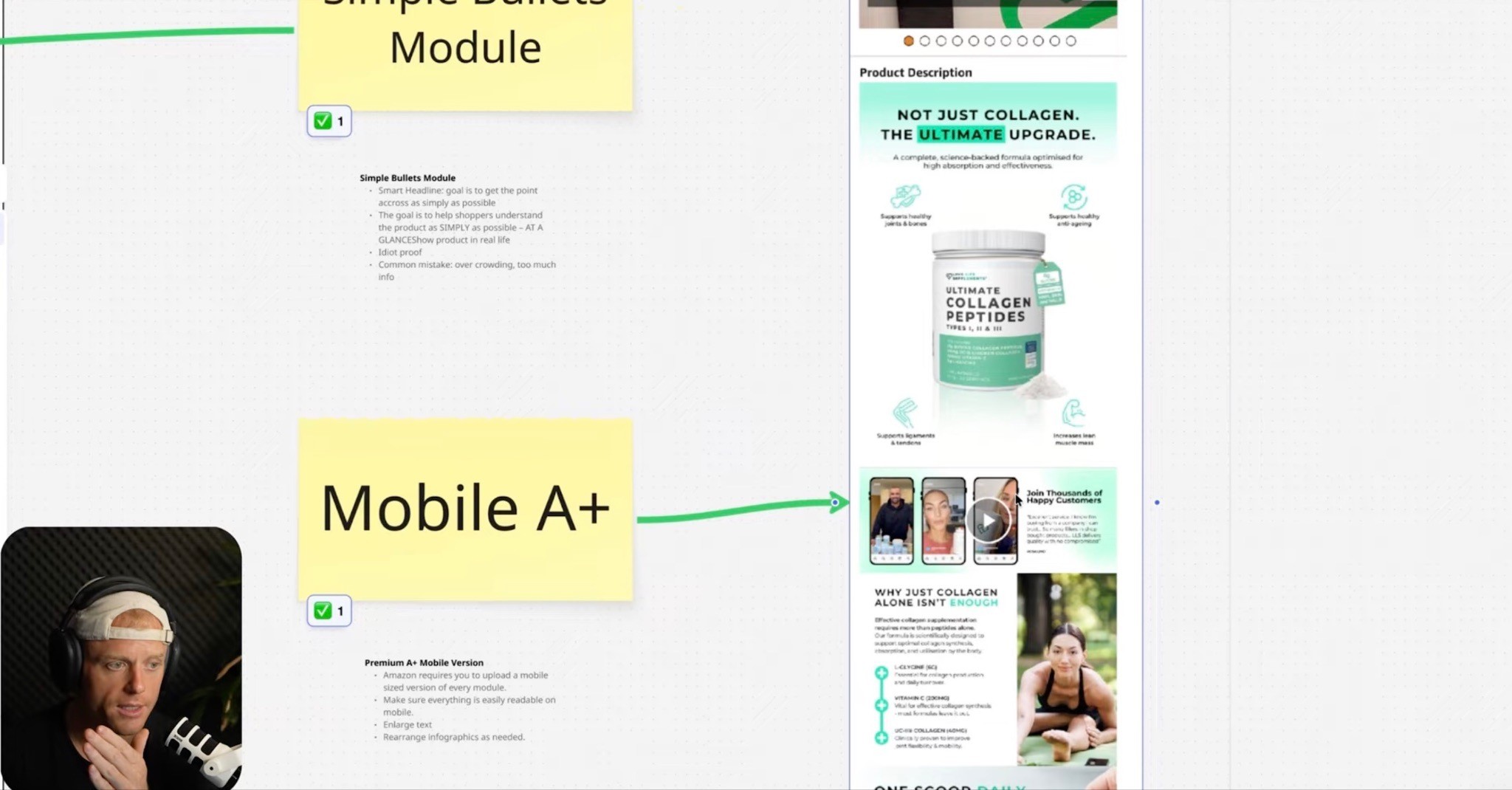
Most shoppers are moving fast.
Many are on mobile.
So the listing needs to work on a small screen.
Check:
Is the title readable?
Does the main image stand out?
Are gallery image headlines large enough?
Is the USP clear in three seconds?
Are bullets easy to skim?
Is A+ Content readable?
Are videos easy to understand?
Does the comparison chart work on mobile?
If your images look great on desktop but turn into tiny unreadable text on mobile, they are not optimized.
Design for how people actually shop.
Testing Your Amazon Listing
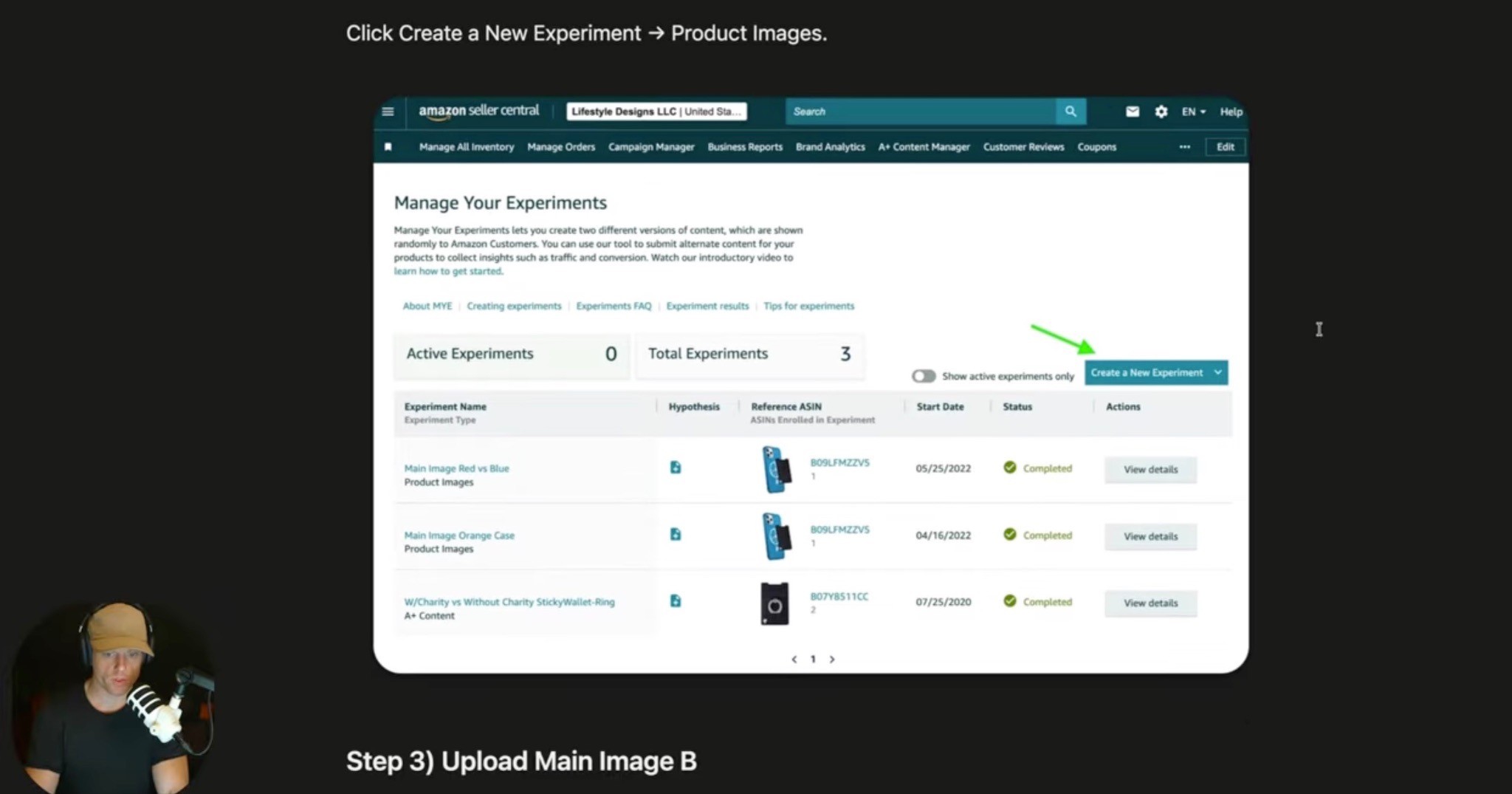
Do not rely only on opinions.
Test.
Amazon Manage Your Experiments can be used to test elements like:
Main image
Title
A+ Content
Product images, depending on eligibility and setup
But test one thing at a time.
Do not change your title, images, A+ Content, price, and coupons all at once and then pretend you know what caused the result.
That is not testing.
That is guessing.
Better testing approach:
Test main image concepts
Test A+ Content
Test price or coupon
Test title
Track conversion rate, CTR, sales, and ranking
Keep improving
If a test result looks weird or inconclusive, use common sense.
Experiments are helpful.
They are not perfect.
What to Optimize First
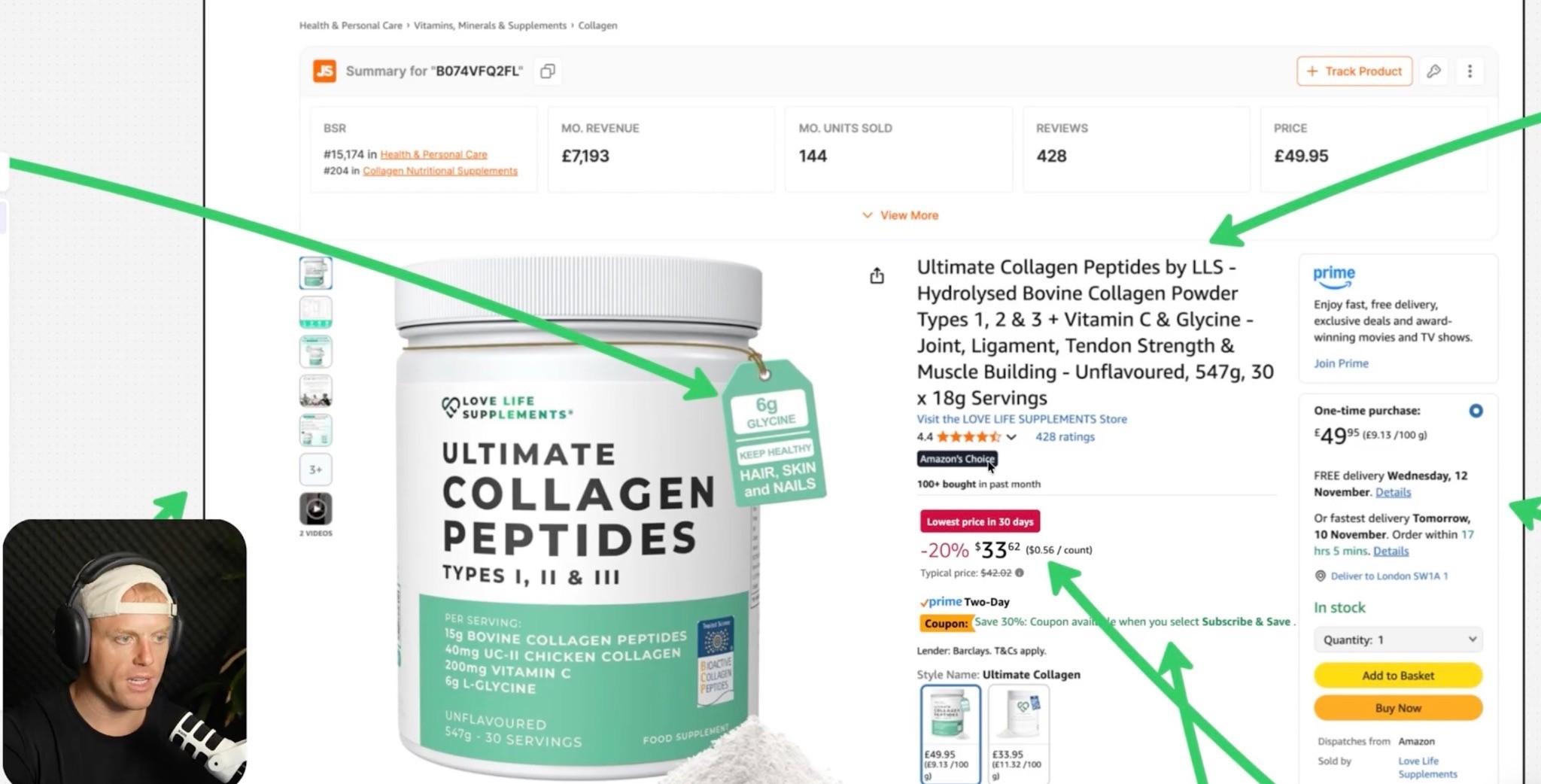
Start with the bottleneck.
If impressions are high but clicks are low, look at:
Main image
Title
Price
Reviews
Star rating
Coupon
Delivery speed
If clicks are happening but sales are low, look at:
Gallery images
USP clarity
A+ Content
Videos
Reviews
Price justification
Comparison charts
Social proof
Product quality
Offer strength
If PPC is expensive and not converting, do not just increase the budget.
Fix the page first.
Amazon Listing Optimization Checklist
SEO
Did you do Amazon-specific keyword research?
Is the main keyword in the title?
Are supporting keywords included naturally?
Are backend search terms filled out?
Are you indexed for the important keywords?
Are you tracking rankings?
Search Page
Is the main image competitive?
Is the title easy to understand?
Is the price attractive or justified?
Do reviews support the click?
Is there a coupon or offer where relevant?
Is shipping speed competitive?
Product Page
Is the USP obvious in three seconds?
Do gallery images explain the product?
Does each image have one clear point?
Are the bullets short and useful?
Does A+ Content actually sell?
Do you have Premium A+ if eligible?
Do you have a comparison chart?
Do you have UGC or social proof?
Do you have videos?
Is the page mobile-friendly?
Trust
Is your star rating strong?
Do you have enough reviews?
Are negative reviews addressed in the page?
Does the branding look premium?
Are certifications or testing proof shown?
Does the product feel legit?
Offer
Is the price right for the market?
Are coupons being tested?
Is Subscribe & Save being used where relevant?
Are bundles or cross-sells set up?
Is the product in stock?
Is shipping fast enough?
Creative
Does the page look like a serious brand?
Are the headlines big?
Is the copy easy to skim?
Is the design clean?
Is the page comparison-focused?
Is the message stupid simple?
Is there too much text?
Are unnecessary elements removed?
Common Amazon Listing Optimization Mistakes
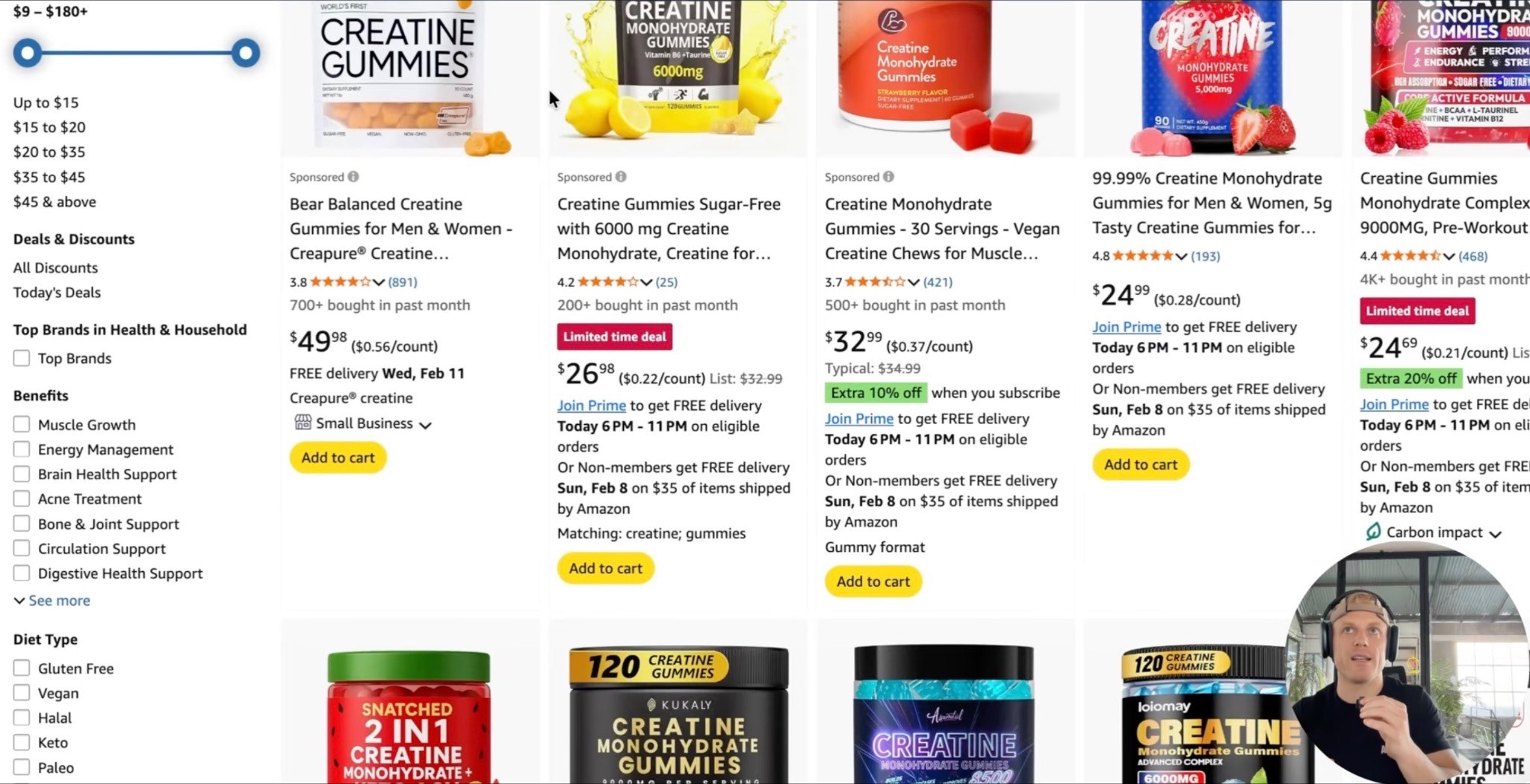
Mistake 1: Only Optimizing Keywords
Keywords matter, but they are not the whole game.
You can rank and still not convert.
Mistake 2: Making Images Too Crowded
Tiny text, too many icons, and cluttered infographics hurt clarity.
One image should make one point.
Mistake 3: Selling the Category Instead of the USP
Do not just explain why greens are good.
Explain why your greens gummies are better than the other greens gummies.
Mistake 4: Ignoring Comparison Charts
Shoppers are comparing anyway.
Help them choose you.
Mistake 5: Weak Videos
No video is a missed opportunity.
A simple founder product explanation is better than nothing.
Mistake 6: Bad Branding
If the brand looks cheap, shoppers feel it.
Mistake 7: Ignoring Mobile
If it does not work on mobile, it does not work.
Mistake 8: Spending More on PPC Before Fixing the Page
PPC amplifies the listing.
If the listing is broken, PPC amplifies the problem.
FAQ
What is Amazon listing optimization?
Amazon listing optimization is the process of improving your product detail page so it ranks for relevant keywords and converts more shoppers into buyers. It includes SEO, title, images, bullets, videos, A+ Content, reviews, pricing, and conversion-focused messaging.
How do I increase my Amazon conversion rate?
Start by improving the elements that affect the buying decision: main image, gallery images, USP, comparison charts, videos, A+ Content, reviews, pricing, coupons, and mobile readability.
What is the most important part of an Amazon listing?
It depends on the bottleneck. For getting clicks, the main image, title, price, reviews, and coupon matter most. For converting after the click, the gallery images, A+ Content, videos, reviews, price, and USP clarity matter most.
Should Amazon bullets be long or short?
I prefer short and clear. Most shoppers do not read huge paragraphs. Use bullets to quickly explain the key points, benefits, and USP.
Do Amazon gallery images matter?
Yes. Gallery images are one of the most important conversion assets on the listing because many shoppers look at images before reading copy. Each image should explain one clear point.
Does A+ Content increase conversion rate?
A+ Content can help conversion when it explains the product, answers objections, builds trust, shows social proof, and makes the buying decision easier. It should not just be decoration.
Should I use Premium A+ Content?
If you are eligible, yes, I would strongly consider it. Premium A+ gives you more space, larger visuals, videos, carousels, and interactive modules that can make the page feel more like a real landing page.
How many videos should an Amazon listing have?
At minimum, aim for a main product commercial, a longer product explanation, and a UGC or customer proof video. If you have more quality videos, use them.
Should I optimize my listing before spending more on PPC?
Yes. If the listing does not convert, more PPC usually just wastes more money. Improve conversion first, then scale traffic.
Summary
Amazon listing optimization is not just keyword stuffing.
It is not just pretty graphics.
It is the full process of making your product easier to find, easier to click, easier to understand, and easier to buy.
Start with the USP.
Make the title clear.
Test the main image.
Build a gallery that explains the product.
Use comparison charts.
Keep bullets short.
Add videos.
Upgrade A+ Content.
Use Brand Story.
Show social proof.
Improve reviews.
Test price, coupons, and Subscribe & Save.
Make sure the page works on mobile.
Then keep testing.
Because Amazon is a comparison platform.
Shoppers are already comparing you against the other options.
Your job is to make the choice obvious.
Want Help Figuring Out Why Your Amazon Listing Isn’t Converting?
If your listing is getting traffic but not enough sales, there is probably something on the page creating friction.
Maybe the USP is not clear.
Maybe the images are not doing enough selling.
Maybe the A+ Content looks nice but does not actually explain why your product is the better choice.
Maybe the videos are missing.
Maybe the price makes sense to you, but not to the shopper.
Maybe your competitors are making the buying decision easier.
That is the stuff we look at every day at AmazingCreative.
We help Amazon brands turn their listings into conversion-focused pages, not just prettier pages.
Main images, gallery image stacks, Premium A+ Content, product photography direction, videos, comparison charts, social proof modules, Brand Story, and the messaging that makes the buying decision easier.
This is exactly what our Amazon Listing Optimization service is built for: fixing the creative, messaging, image stack, A+ Content, and conversion gaps that stop shoppers from buying.
If you want us to take a look, check out our Amazon Creative Services or click the button below to book an Amazon creative strategy call and we’ll help figure out what might be holding your listing back.
Riley Bennett
Amazon Strategist, 7-Figure Seller & Founder of AmazingCreative
Riley has been selling on Amazon and working with marketplace brands since 2015. He founded AmazingCreative to help brands improve their listings through stronger creative, clearer messaging, and conversion-focused strategy.
He has worked with more than 300 brands across Amazon CRO, PPC, SEO, product launches, and marketplace growth.
Since 2015 · Trusted by 300+ Brands · 7-Figure Amazon Seller

Amazon SEO
Optimize hidden keywords, stay within Amazon’s limits & improve discoverability.

See what Premium A+ offers, how to qualify, and how to build a clear layout.

Follow Amazon’s rules and build a gallery that answers shoppers’ questions.
Book a focused CRO strategy call or start with a complimentary listing audit.